
Strategy
Dynamics 365 Project Operations for Small Construction Contractors in Minnesota
· · 21 min read
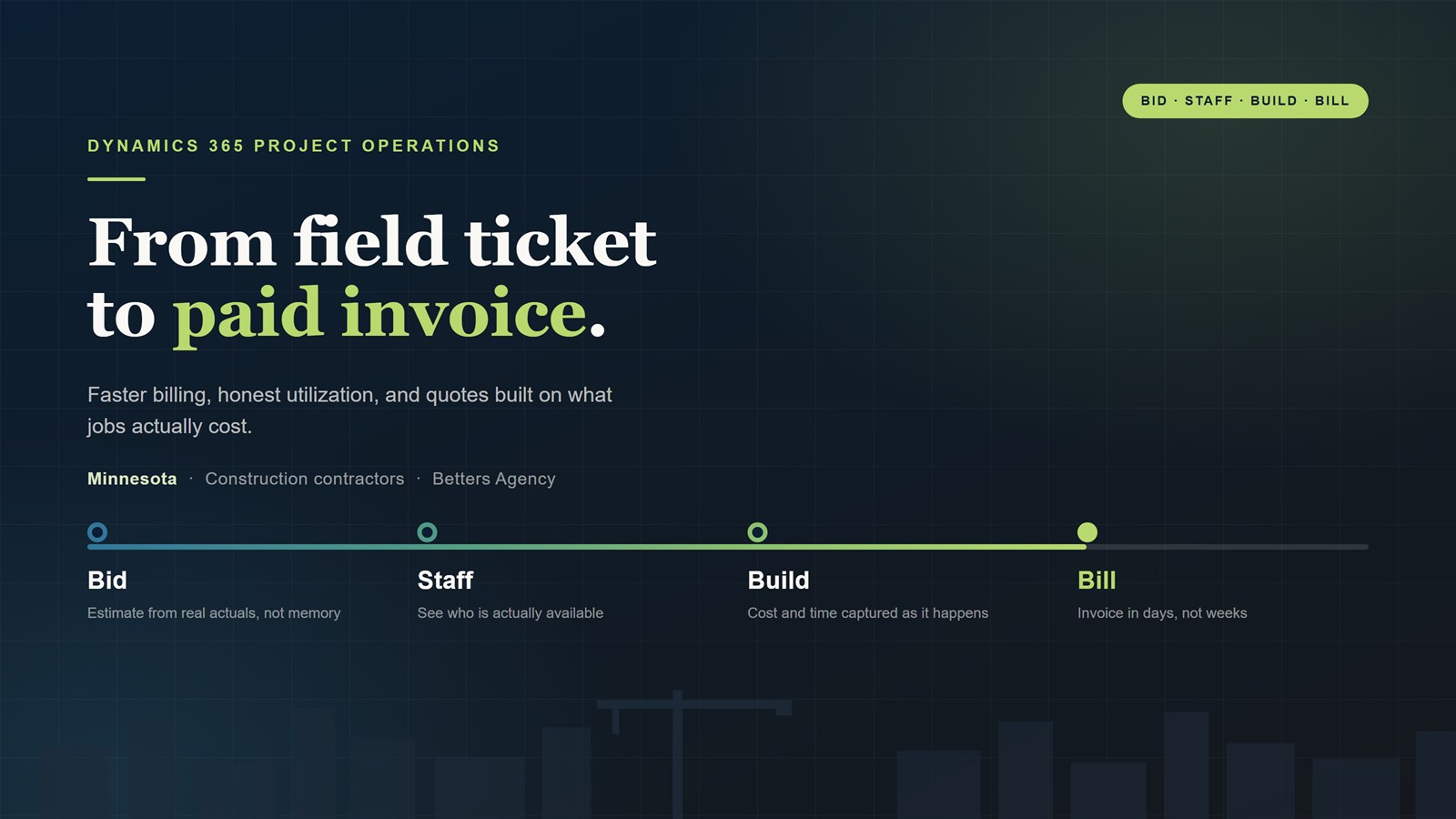
How Minnesota's small construction contractors use Dynamics 365 Project Operations to bill faster, staff jobs from real capacity data, and quote from what work actually costs, on the Microsoft stack they already own.
It is Saturday morning. The trucks are parked, the crews are home, and you are at the kitchen table with a laptop, three spreadsheets, and a stack of field tickets trying to figure out what you can actually bill for last month. You know the work got done. You watched it get done. Turning that into a pay application your general contractor will accept without a phone call is somehow a six hour job.
That Saturday is the most expensive part of running a small construction company in Minnesota, and almost nobody puts it on the P and L. It shows up instead as cash that arrives four weeks later than it should, as bids that go out on gut feel because there was no time to check what the last job like this really cost, and as a crew sitting idle in July because the schedule lived in one person’s head.
Microsoft Dynamics 365 Project Operations is built for exactly this gap: the space between winning work and getting paid for it. This is a practical look at what it does for a small contractor, what it does not do, what it costs, and why the Microsoft ecosystem around it matters more than the product itself.
Key takeaways
- Billing speed is a cash problem, not a paperwork problem. Cutting the lag between work performed and invoice issued pulls real money forward every single month, and Minnesota’s retainage rules reward contractors whose documentation is clean and timely.
- Resource utilization is the number most contractors cannot produce on demand. In a state with a compressed building season, knowing whether you can say yes to one more job is a margin decision, not an administrative one.
- Quoting accuracy is a data problem. Estimates built from your own historical actuals beat estimates built from memory, and every completed job should make the next bid sharper.
- The ecosystem is the real advantage. Project Operations sits on Dataverse alongside Teams, SharePoint, Outlook, Power BI, and Power Automate, which is why the whole is worth more than any single tool you would buy on its own.
- It is not for everyone. If you run one crew and a handful of small fixed-price jobs, a good spreadsheet and QuickBooks are still the right answer. We will tell you that.
Who this is actually for
When we say small construction contractor, we mean a specific kind of company. Usually somewhere between 10 and 100 people. Often a specialty trade contractor, a general contractor doing commercial or public work, or a design-build firm that carries both. Revenue somewhere from a couple million to fifty million. Enough projects running at once that no one person can hold the whole picture, but not enough back office to absorb the chaos.
The tooling is almost always the same. QuickBooks for accounting. Excel for everything accounting does not do, which is most of what actually matters. Maybe a scheduling tool, maybe a takeoff or estimating package, maybe a field app that one foreman likes. Email as the connective tissue. The owner, and often the same person who is estimating and running jobs, is the integration layer holding it together.
That works until it does not. The break usually comes when the company grows past the founder’s memory, when a second or third project manager joins, or when a bank or bonding company starts asking for work in progress reporting that takes two days to assemble.
The structural problem: your work is project shaped, your software is transaction shaped
Accounting systems are built around transactions. An invoice, a bill, a payment, a payroll run. QuickBooks is very good at telling you what money moved and where it landed in the chart of accounts.
Construction does not happen in transactions. It happens in projects, with phases and tasks and a schedule of values, staffed by people whose time is the single largest cost, delivered against a contract that says what you can bill and when. The questions that decide whether your year is good are project shaped:
- What has this job cost to date compared to what we told the customer it would cost?
- What work is complete, approved, and billable right now that we have not invoiced?
- Which jobs are eating a project manager’s week while contributing the least margin?
- If we win the bid we submitted last Tuesday, do we actually have the people to staff it?
Your accounting system cannot answer any of those, because it was never asked to. So the answers live in spreadsheets, which means they live in one person’s version of the truth, which means they are always slightly stale and never quite trusted. Project Operations exists to hold the project shaped layer, keep your accounting system for accounting, and connect the two.
Billing efficiency: the fastest money you are not collecting
Most contractors think of billing as an administrative chore. It is more accurate to think of it as your cheapest source of working capital. Every day between performing work and issuing a defensible invoice is a day you are financing your customer’s project out of your own account.
Why construction billing is slow in the first place
Construction invoicing is not really invoicing. It is submitting a claim, and the claim has to survive review by someone whose job is to find problems with it. A typical progress billing needs a schedule of values with percentage complete by line, often on AIA G702 and G703 forms, supported by lien waivers from you and your subcontractors, backup for time and materials work, approved change orders, and a retainage calculation that matches the contract.
Then look at where that information lives in a typical small contractor. Field hours are on paper tickets or in a text message. Material costs are in an email from the supplier. Change order approval is somewhere in a thread with the general contractor. Percent complete is in the project manager’s judgment. Assembling one pay application means five people being asked the same questions, and the person assembling it is usually the person you least want doing data entry.
The compounding effect is what hurts. Work happens in week one. Timesheets get collected in week two. The project manager reviews in week three. The application goes out at the end of the month, the contract says net thirty, and retainage holds a slice until the end of the job. Work you performed in early January turns into cash in March, minus a piece you will chase for months.
Minnesota’s retainage rules reward contractors with clean paperwork
Minnesota law is comparatively favorable to contractors on retainage for private construction projects, and that is worth understanding because it converts administrative discipline directly into collected cash. Under Minnesota Statutes section 337.10, for privately owned or financed building and construction contracts:
- Retainage may not exceed five percent.
- The owner or the owner’s agent must release all retainage no later than sixty days after substantial completion, subject to conditions.
- After substantial completion, the amount that may be withheld is limited to 250 percent of the cost to correct or complete work known at that time, plus one percent of the contract value or five hundred dollars, whichever is greater, pending final paperwork.
- Withholding retainage for warranty work is prohibited.
- Where there is a dispute under a subcontract, the contractor must pay out retainage to subcontractors whose work is not part of the dispute, along with a written statement of the amount withheld and the reason.
Read those provisions again with an operations eye rather than a legal one. Nearly every one of them turns on documentation and dates. When was substantial completion reached and how is that evidenced. What is the actual cost to correct known punch list work. When was final paperwork submitted. Which subcontractor scopes are genuinely in dispute and which are not.
A contractor whose project records are timestamped, whose punch list items carry cost estimates, and whose submissions are logged can make those arguments in an afternoon. A contractor whose evidence is spread across email and memory usually settles for whatever gets released. The statute gives you leverage. Your system determines whether you can use it.
Two caveats worth stating plainly. This is general information about how operations and documentation intersect with the law, not legal advice, so talk to your construction attorney about your contracts. And public projects follow a different set of rules than the private project provisions above.
What Project Operations actually changes
The mechanism is unglamorous, which is why it works. Time and expenses get captured against a specific project and task, by the people who did the work, close to when they did it. Approvals route to the right project manager instead of sitting in an inbox. Costs and revenue accrue on the project as they happen rather than being reconstructed at month end.
From there, the system generates a proforma invoice from the actuals and the contract terms. The project manager reviews it, corrects what needs correcting, and confirms. The point is not that software writes the invoice. The point is that the invoice starts at ninety percent complete instead of at zero, and the review happens against real recorded data instead of somebody’s recollection.
The piece most contractors underestimate is the billing backlog view: everything that is billable and has not yet been billed, visible on one screen, by project. That single list is usually the fastest money in the building. It also tends to be uncomfortable the first time you see it, because most companies discover they are carrying more unbilled work than they assumed.
Here is the arithmetic, presented as an illustration rather than a promise. Suppose you carry four hundred thousand dollars of work in progress at any given time and you shorten the gap between work performed and invoice issued by ten days. You have pulled roughly a third of a month of billing forward, permanently. You did not sell anything new, hire anyone, or cut a cost. You just stopped lending your customers money for free.
Subcontractor invoices and three way match
Money leaks out the other direction too. When a subcontractor invoice arrives, someone has to confirm it matches what was committed and what was actually delivered before it gets paid. In a lot of small contractors that check is a project manager glancing at a number and saying it looks about right.
Our Accelerate package configures subcontractor invoice management with three way match, comparing the invoice against the commitment and against received work, plus routing rules so the right person approves. Overbilling and duplicate payments are the kind of loss nobody notices, because there is no moment where the money visibly disappears. It just quietly never shows up as margin.
The honest limitation: the bridge to your accounting system
Project Operations Core creates proforma invoices for a project manager to review, but it does not push confirmed invoices into an outside accounting system on its own. If you are staying on QuickBooks, and most contractors we work with should, connecting the two is real work, not a checkbox.
We build those bridges to QuickBooks, Xero, Sage, NetSuite, and others, and we scope them explicitly so you know what you are buying. Anyone who tells you the integration is trivial has not built one. It is worth doing, because the alternative is re-keying invoices between two systems, which reintroduces exactly the delay and error you were trying to remove.
Resource utilization: the number most contractors cannot produce
Ask a small contractor what their utilization is and you will usually get a thoughtful pause. Ask them who is available the week of August 11th and you will get an answer, but it will come from somebody’s head or a whiteboard in the shop, and it will be about seventy percent right.
Minnesota’s season makes this sharper than it is elsewhere
Every contractor deals with capacity. Minnesota contractors deal with capacity inside a compressed window. Spring load restrictions limit what you can move and when. Frost, freeze thaw cycles, and winter conditions shut down or slow whole categories of work. A meaningful share of the year’s revenue has to be produced in a field season that is shorter than the twelve months of overhead you are carrying.
That changes the cost of a scheduling mistake. In a milder climate, a crew idle for a week in July is an annoyance you make up in October. Here, a crew idle in July is production you may not get back at all, and a crew overcommitted in July means overtime, subcontracted work at a worse rate, or a schedule slip that costs you the relationship.
What utilization means for a contractor specifically
Utilization in a professional services sense means billable hours as a percentage of available hours. That matters for your project managers and estimators, whose time is largely invisible and frequently unrecovered. But for field crews the more useful framing is commitment: which people and crews are committed to which jobs across which weeks, how firm is each of those commitments, and what is left.
Project Operations models this with bookable resources that carry roles and skills, resource requirements that come from the project plan, and a schedule board that shows hard bookings against soft ones. Our Foundation package configures unified resource management as part of the build, because capacity visibility is usually the second thing a growing contractor needs after billing.
Two useful things fall out of that. First, when the estimator asks whether you can take on a project starting in six weeks, the answer comes from data instead of instinct. Second, you can see the project managers who are quietly carrying twice their share, which is the leading indicator of both burnout and the mistakes that eat margin.
The decision it actually unlocks
The reason to track capacity is not to produce a report. It is to answer the question that decides your year: should we bid this one. Knowing that your best crew is committed through September, that a second crew frees up in August, and that your last three jobs of this type ran fifteen percent over on labor turns that from a hopeful yes into a deliberate decision. Sometimes the right answer is no, and knowing that early is worth as much as winning.
RFP responses and quoting accuracy
Two different problems hide under the word bidding. One is how fast you can respond. The other is whether the number you put on the page is right. Both are data problems more than they are estimating problems.
Speed: stop re-deriving what you already know
An RFP arrives with a deadline that does not care how busy you are. The slow part is rarely the takeoff. It is assembling context: what did the last three jobs like this actually cost, not what did we bid them at. Who is available in that window. What did we learn on the one that went badly. Which subcontractors performed.
When that history is scattered across spreadsheets, closed email threads, and the memory of whoever ran the job, you rebuild it from scratch every time, or you skip it and price from feel. Under deadline pressure, most people skip it. When project history lives in one place with actual costs attached, pulling up the last three comparable jobs is a two minute exercise, and your response goes out with substance behind it.
Bid or no bid: the most expensive marketing spend is chasing bad fit work
Most small contractors cannot answer a simple question: what is our win rate on municipal work versus private retail buildout, and what is our realized margin on each. Without that, pursuit decisions get made on which opportunity showed up most recently and which one feels exciting.
Tracking pursuits as real records, with project type, customer, size, estimator, and outcome, lets you see the pattern within a couple of quarters. It is common to find one or two categories where you win often and earn well, and another where you win occasionally and bleed. Estimating time is finite. Pointing it at the work you are good at is the cheapest margin improvement available to you. We include a Kanban board for pursuit tracking in our Foundation package because seeing the pipeline as a board is what makes teams actually maintain it.
Accuracy: estimate from your actuals, not your memory
An estimate is a prediction, and predictions get better when they are checked against outcomes. The loop most contractors are missing is not a better estimating tool. It is the discipline of comparing estimated to actual by task, job type, and crew, then feeding what you learn back into the next bid.
Project Operations supports this with work breakdown structure templates tailored to how your job types really decompose, and with multi dimensional pricing so you can price by role, resource, or work type instead of forcing everything through one blended rate. A blended rate is a quiet margin killer: it overprices the simple work you could have won and underprices the complicated work you did win.
On fixed price work this is the entire game. Your margin is the difference between your estimate and your reality, and nothing else moves the number after signing.
The handoff from quote to project
Here is where a connected system earns its keep. When you win, the estimate becomes the project baseline directly. Nobody re-keys the schedule of values into a new spreadsheet. Nobody rebuilds the task list.
That matters for two reasons. It removes a transcription step that is a reliable source of expensive errors. And because the baseline came from the estimate, you can measure actual against estimate from day one instead of discovering the variance at closeout. Every finished job then makes the next estimate a little sharper. That compounding loop is the real return, and it is why the first year is worth less than the third.
The Microsoft ecosystem is the actual advantage
If you evaluate Project Operations strictly as a product against a construction point solution, you will have a reasonable debate. If you evaluate it as one component of a platform you are already paying for, the comparison changes.
One data spine underneath everything
Project Operations runs on Dataverse, which is the same data platform behind the rest of Dynamics 365 and the Power Platform. Projects, customers, resources, time, and costs live in one governed place with one security model. When you later add a customer portal, a field app, or an approval workflow, they read from the same records rather than syncing copies. Every integration you avoid is an integration that cannot break.
Teams, SharePoint, and Outlook: where the job is really discussed
Construction communication happens in email, phone calls, and increasingly in Teams. Document control happens in SharePoint whether you planned it or not, and on a job that means drawings, submittals, RFIs, photos, safety records, and payroll documentation. Version control is not bureaucratic overhead when installing from the wrong revision means tearing something out.
Because these are all Microsoft 365 services sitting next to Dataverse, the conversation, the document, and the project record can be tied together instead of living in three unrelated systems. The practical effect is that a new project manager can reconstruct the history of a job without interviewing four people.
Power BI: the reports your bank and your gut both want
Once project data is structured, reporting stops being an assembly project. Work in progress, billing backlog, aged retainage, utilization by crew and project manager, margin by job type, estimate versus actual, win rate by pursuit category. These become standing dashboards rather than a two day scramble when the bonding company asks.
Our Accelerate package includes Power BI reporting for exactly this reason, and we go deeper on the approach in our Power BI reporting work. The value is not prettier charts. It is that the number in the room is the number of record, so the meeting is about what to do rather than whose spreadsheet is right.
Power Automate: the small automations that remove the nagging
Most of what a small contractor’s office staff does all day is chase people. Automation handles a surprising amount of that quietly: route time approvals to the right project manager, alert an owner when a job crosses a budget threshold, remind a foreman that certified payroll documentation is due, flag a subcontractor invoice that does not match its commitment, nudge for lien waivers before the pay application deadline.
None of these is impressive on its own. Collectively they are the difference between an office manager who spends the week reminding people and one who spends it on work that needs judgment.
Copilot and agents, described honestly
AI is genuinely useful here, in specific ways. Summarizing a long email thread with a general contractor before a call. Drafting a first pass at an RFP response section from your own past project data. Answering questions like which jobs of this type ran over on labor last year. Finding the comparable job you half remember.
What it does not do is replace your estimator or exercise judgment about a job site. Treat it as a very fast assistant that has read everything your company has written and still needs a professional to check its work. We build these as scoped Copilot agents against your own data, which is a different exercise from turning on a chatbot and hoping.
Identity and access, which matters more than it sounds
Construction is full of transient participants: subcontractors, owners, architects, seasonal crew, the project manager who left in October. Because everything sits behind Microsoft Entra identity, access is granted by role and removed once when someone leaves, across every service at the same time. For contractors doing public or regulated work, being able to demonstrate who had access to what is not a nice to have.
The cumulative point is this. Buying four point solutions gives you four vendors, four logins, four security models, and six integrations to maintain. Adding capability inside a platform you already own increases the value of what is already there, because each piece shares the same data spine. That compounding is the ecosystem argument, and it is why we build on Dynamics 365 and the Power Platform.
What it costs and what it takes
Straight answers, because vague pricing wastes everyone’s time.
We deliver Project Operations as fixed fee packages: Quick Start at 2,995 dollars for core provisioning, project planning, time entry with approval routing, and training for a small group. Foundation at 7,500 dollars adds unified resource management, multi dimensional pricing, project budgeting, work breakdown structure templates, and the Kanban board. Accelerate at 14,995 dollars adds detailed project costing, subcontractor invoice management with three way match, billing backlog management, and Power BI reporting. The full breakdown is on our Project Operations package page.
Work beyond a package, including accounting system bridges and custom development, is billed at 120 dollars per hour, and guided onboarding support where your team drives is 85 dollars per hour. Those are published on our rates page. Microsoft licensing is separate and paid to Microsoft, not to us.
Core or ERP integrated
Project Operations comes in more than one deployment shape. Core, sometimes called lite, runs on Dataverse without requiring an ERP, which is where most small contractors should start: keep QuickBooks, run projects properly, bridge the two. The ERP integrated deployment matters when you need customer facing invoicing, revenue recognition, and stocked or production work handled inside the same financial system, which is a bigger commitment and a bigger budget.
Choosing wrong in either direction is expensive, so this is worth an honest conversation before anyone buys anything.
When Project Operations is the wrong answer
We would rather say this now than three months into a project:
- You run one crew and a handful of small jobs. A disciplined spreadsheet and QuickBooks will serve you well for a while longer. Spend the money on equipment.
- Your core problem is inventory, fabrication, or heavy equipment costing. That points toward an ERP integrated deployment or a different category of system entirely.
- Your core problem is drawings, RFIs, and field coordination. Purpose built construction management platforms do that job well. Some contractors run both, with Project Operations handling the sell, staff, deliver, and bill side.
- Your process is genuinely broken. Automating a broken process makes it fail faster and more expensively. Fix the process first. We will help you do that before we sell you software.
- Nobody will enter time. This is the honest make or break. If your field will not record hours against tasks, none of the rest works. That is a leadership and design problem, and it needs to be solved during the build, not after.
A realistic ninety day path
This is roughly how these engagements run for a small contractor on a Core deployment.
- Days 1 to 15, decide what you are measuring. Discovery on how work actually moves through your business, then agree on the numbers that define success: days from work performed to invoice issued, dollars sitting in billing backlog, utilization by crew and project manager, win rate by pursuit type. Write down today’s baseline, even if it is an estimate.
- Days 16 to 45, stand up the core. Project structure and templates for your three most common job types, roles and rates, and time entry live with the field. Getting time capture adopted early is the single highest leverage step, and it is where we push hardest on making entry take seconds rather than minutes.
- Days 46 to 75, close the money loop. Billing backlog, proforma invoicing and review, subcontractor invoices with matching, and the bridge to your accounting system so nothing gets re-keyed.
- Days 76 to 90, make it visible. Power BI dashboards for work in progress, backlog, utilization, and margin. The resource schedule board. Pursuit tracking so bid or no bid decisions start accumulating history. Then training for the people who have to live in it.
After that it is iteration, and the compounding starts. The second quarter of estimate versus actual data is more useful than the first, and the fourth is more useful than the second. Our full approach is described on how we work, and the short version is that we deliver in slices your team can react to rather than disappearing for a quarter.
Common questions
Do we have to leave QuickBooks?
No, and most of our construction clients should not. Keep QuickBooks for accounting, run projects in Project Operations, and connect them. Your accountant does not have to relearn anything.
How is this different from a construction management platform?
Different category. Construction management platforms are strongest at field and document workflows: drawings, submittals, RFIs, punch lists, daily logs. Project Operations is strongest at the business operating layer: pursuits, estimates, resourcing, project cost and revenue, billing, and reporting, with the rest of the Microsoft stack around it. Plenty of contractors run one of each, and if a field platform is what you actually need, we will say so.
Will the field crew actually use it?
Only if entering time takes seconds and happens where they already are, on a phone or in Teams. Designing for that is part of the build, not an afterthought. Any consultant who waves this away has not run an adoption problem.
What about prevailing wage and certified payroll?
Be clear eyed here: Project Operations is not a certified payroll engine. What it does well is capture time against the right project and task with the attributes you need, so your payroll system and reporting have clean, structured source data instead of transcribed tickets. On Minnesota prevailing wage work, that upstream cleanliness is most of the battle.
How long before it pays for itself?
The billing acceleration is usually the first thing you feel, often within a quarter of going live, because it is a working capital shift rather than a slow behavior change. Quoting accuracy takes longer because it needs completed jobs to learn from. Be suspicious of anyone promising a precise ROI figure before they have seen your numbers.
Where to start
If any of this sounds like your Saturday morning, the useful first step is not a software demo. It is an honest conversation about how work moves through your company today and where the money is actually leaking, which is usually somewhere between the field ticket and the pay application.
We are based in Minnesota, we work with construction companies here, and the people who scope the work are the people who do it. If Project Operations is not the right fit for where you are, we will tell you that on the first call. Take a look at the Project Operations packages, or book a discovery call and bring your last pay application with you.