
Run profitable projects on Dynamics 365 Project Operations — the Lite way.
A productized path onto Dynamics 365 Project Operations Core for project-based teams that need detailed project costing, subcontractor invoice management, robust time tracking, and billing backlog under control — without a multi-quarter ERP rollout.
Three steps onto Project Operations Lite, priced up front
Buy only the stage you need. Each package includes everything in the one before it, so you can start fast and grow without redoing work.
Project Operations Lite covers what Microsoft calls Project Operations Core: a Dataverse-only deployment with proforma invoicing, subcontracting, resourcing, and forecasting. If you need customer-facing invoicing and revenue recognition built into the platform, or you run stocked/production-order work, that’s Project Operations Integrated with ERP — a genuinely bigger undertaking we scope individually. Talk it through on a discovery call and we’ll tell you honestly which one you need.
Live on Project Operations Core
A correctly-provisioned Dataverse deployment your team can start planning and staffing projects on.
One-time. Microsoft licensing billed separately.
Includes
- Dataverse environment + Project Operations Core setup
- Sales process for projects (extends Dynamics 365 Sales)
- Project planning with Microsoft Project for the Web
- Time entry with approval routing
- Up to 5 users
- 3 standard dashboards
- 1 training session & quick-start guide
Live in as little as 10 business days
Tailored to how you deliver
Configured around your resourcing model and project types — not the defaults.
Everything in Quick Start, plus:
Adds
- Unified resource management (skills, roles, availability)
- Multi-dimensional pricing by role, region or contract
- Project budgeting & time-phased forecasting
- Tailored WBS templates by project type
- Basic expense & material usage tracking
- Teams channels linked to projects (Basic Collaboration)
- Mobile app + 2 training sessions
- Betters365 Kanban Board — a drag-and-drop board for project tasks and delivery stages, the same exclusive IP from our Dynamics 365 Sales packages, adapted for delivery.
Typical delivery: ~3–4 weeks
Costing, subcontractors & billing at scale
The controls that keep project margins accurate as volume grows.
Everything in Foundation, plus:
Adds
- Detailed project costing across roles, tasks & time
- Subcontractor invoice management: purchase orders + 3-way match against timesheets, expenses & material usage
- Robust time tracking: routing rules, delegation & overdue reminders
- Billing backlog management: proforma automation, draft-to-confirm workflow, scheduled invoice runs
- Power BI project reporting — 5–10 custom metrics
- Governance + admin train-the-trainer
- Betters365 Kanban Board — interactive drag-and-drop delivery board.
- File Management enhancement — organized, structured document handling beyond the out-of-the-box experience.
- Automated Document Retention — policy-driven retention & archiving that runs on its own.
Typical delivery: ~5–7 weeks
Prefer to drive? We’ll ride shotgun.
Roll up your sleeves and set up Project Operations Core yourself with a local Betters expert on call — guided setup, resourcing-model coaching, and best-practice reviews, on your schedule. Onboarding & configuration support only; custom development is handled separately at our build rate.
- Guided environment & Project Operations Core setup
- Resourcing model & pricing coaching
- WBS & project template reviews
- Troubleshooting & how-to support
- Hands-on and local — no offshore hand-offs
- Excludes custom development & code
What every fixed fee actually covers
The same disciplined process behind every package, scaled to what each tier needs. You always know what stage you’re in and what you’re paying for.
Discovery & fit
Confirm your project types, resourcing model, and delivery must-haves before anything is configured.
Provision & configure
Dataverse environment, Project Operations Core, the sales-to-project pipeline, and Teams set up and connected.
Data & import
Import active projects, resources, and rate cards so the team opens a system that already reflects reality.
Train & adopt
Role-based training for project managers, resource managers, and finance, plus a quick-start guide.
Go live
A supported switch-over with a checklist, so your first billing cycle on the new system is calm.
Optimize & grow
A post-launch check-in and a clear path into Accelerate, financial-system integrations, or the ERP-integrated edition.
Expert hours at $120/hour
When the standard build isn’t enough, buy hours in bundles and spend them on exactly what moves your business. Every engagement is scoped and estimated first.
See the full breakdown of our support, development & onboarding rates — including the $85/hour guided-onboarding rate and what to expect.
What clients spend hours on
- Custom project costing models
- Advanced subcontractor workflows
- Power BI & margin reporting
- Financial-system integrations
- Copilot Studio agents & automation
- Legacy PM-tool data migrations
- Ongoing admin & config support
- Scoping the ERP-integrated edition
Financial-system integrations
Project Operations Core creates proforma invoices for a project manager to review, but it doesn’t push confirmed invoices to an outside accounting system for actual customer billing and AR — that requires the ERP-integrated edition, or a bridge. We build the bridge, so you keep the accounting system you already run.
Talk about your integration- QuickBooks
- Xero
- Sage
- NetSuite
- and more
Licensing is separate
Package fees cover our work. Your Microsoft Dynamics 365 and Power Platform licenses are billed by Microsoft — we’ll recommend the right ones.
Fixed means fixed
Quick Start, Foundation and Accelerate are quoted as a fixed fee against a defined scope. If needs grow, we move into hours — never surprise invoices.
You own everything
It’s your tenant, your data, your Dataverse. Everything we build stays with you, documented and handed over.
Go deeper with Microsoft’s official guidance
As a certified Microsoft partner, we build on Microsoft’s own documentation rather than reinventing it. Here are the official Microsoft Learn resources for Project Operations — useful whether you’re evaluating the platform, choosing a deployment type, or onboarding your delivery team.
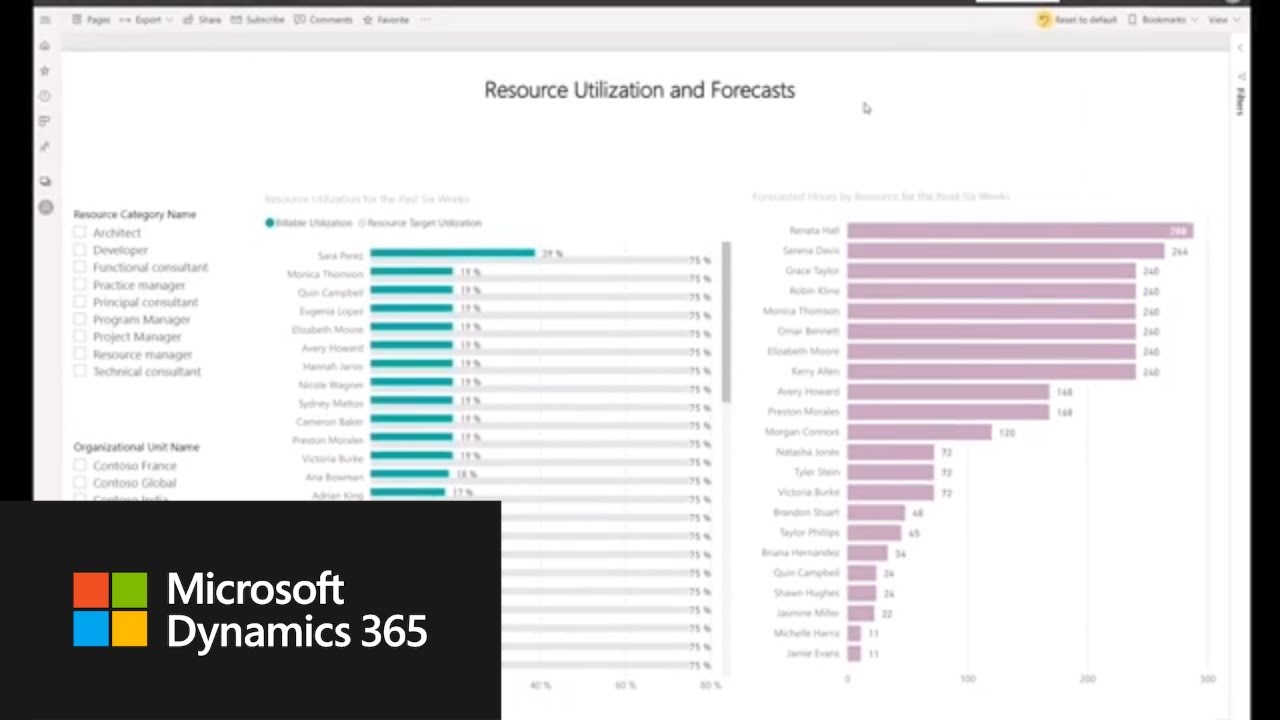 Official Microsoft overview
Microsoft Dynamics 365 Project Operations Overview — the official product walkthrough, published by Microsoft Dynamics 365 on YouTube.
Resources link to Microsoft’s official documentation at learn.microsoft.com. Microsoft, Dynamics 365, Dataverse, Power Platform, Power BI, Microsoft Teams, and Copilot are among the trademarks of Microsoft Corporation referenced on this page. Betters Agency is a Microsoft partner and is not affiliated with Microsoft’s documentation team.
Free white paper
Profitable Projects on Project Operations Core
A Lite-deployment playbook: where project margin leaks, which deployment you actually need, the sales-to-billing operating model, and four patterns from confidential client engagements. No email wall of noise — just the paper.
- The four places margin quietly leaks
- Core vs ERP-integrated vs manufacturing
- The one-platform operating model
- Bridging Core to your accounting system
A short form, then an instant download.
Not sure which deployment fits? Book a discovery call.
Tell us how your projects run today. We’ll recommend Core or the ERP-integrated edition honestly, and if a fixed fee fits, you’ll leave the call with a number.