
Blog
Professional Services Automation Implementation Guide
nbetters · · 19 min read
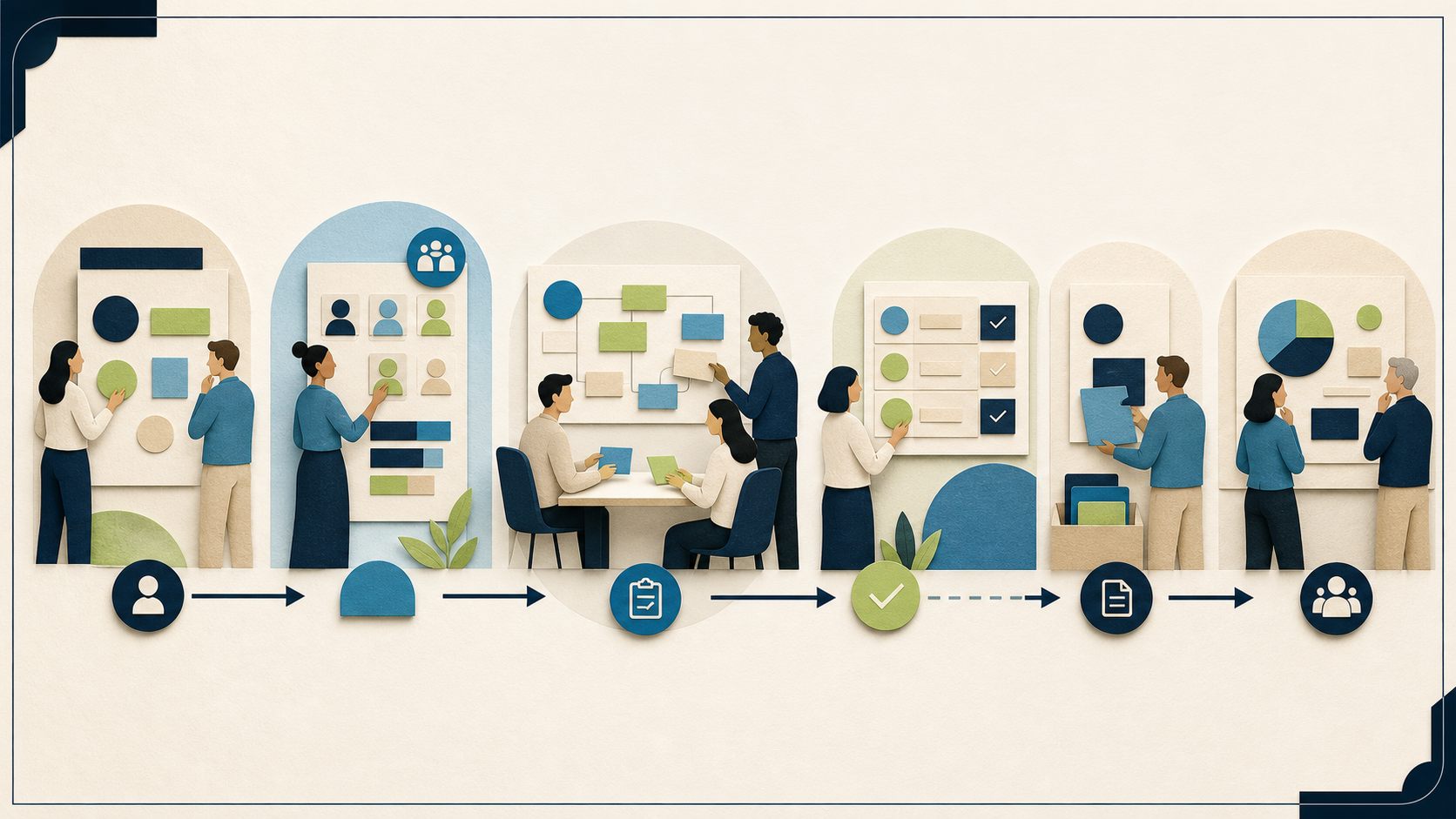
The goal is a bounded, reproducible workflow you can validate, troubleshoot, and roll back, not a broad transformation you cannot support.
Start with a decision, not a feature tour. Before you configure a single form in Dynamics 365 Project Operations, choose your deployment type, name the owner of each handoff, separate development, test, and production environments, and pilot one service line from end to end. This professional services automation implementation guide follows that exact sequence for a project-centric services firm: client opportunity and scope, project setup, staffing, time entry and approval, billing readiness, and a leadership operational review. The goal is a bounded, reproducible workflow you can validate, troubleshoot, and roll back, not a broad transformation you cannot support.
For a Minnesota or Twin Cities professional services firm running fifteen or more concurrent projects with twenty or more billable people, the fastest path to value is rarely a full platform rollout. It is one costly handoff, automated cleanly, measured against a baseline you set during the pilot, and owned by a named person. Everything below is the technical detail behind that discipline: prerequisites, deployment selection, a supported reference architecture, a numbered implementation sequence, representative-persona validation, failure modes, rollback, adoption, support, and measurement.
The problem and its symptoms
Most firms do not have a software problem first. They have disconnected handoffs. An opportunity is scoped in one place, staffed in another, delivered against a spreadsheet, timed late, and billed from memory. Automation only helps when you can name, for each step, the workflow owner, the source of truth, the approval gate, the exception owner, and the definition of done. Treat professional services automation as an operating model before you treat it as software.
The operating symptoms usually show up in the same places, and it is worth writing down which ones you actually have before you configure anything:
- Opportunity to scope. Deals close with a verbal scope, and the delivery team rebuilds the estimate from scratch. Scope changes never make it back to the record that priced the work.
- Scope to project setup. Someone re-keys the project structure, tasks, and rates by hand, so the project that gets delivered no longer matches the project that was sold.
- Project setup to staffing. Resource conflicts surface mid-project because staffing lived in a separate spreadsheet that no one reconciled against commitments.
- Delivery to time entry. Time is entered days or weeks after the work, so utilization and cost figures are always stale, and approvers rubber-stamp entries they cannot verify.
- Time to billing readiness. No single person owns the moment a project becomes billable, so invoices slip to month end and disputes get discovered after the customer receives them.
- Billing to operational review. Leadership reviews margin from exported reports that are already out of date, so decisions lag the work by a full cycle.
If you recognize three or more of these, the win is not more software. It is closing one of these seams with a clear owner and a gate that has to pass. Pick the seam that costs you the most rework or the most delayed cash, and make that your pilot.
The reference workflow you are automating
Keep the scope bounded. The reference workflow for this guide is: client opportunity and scope, to project setup, to staffing, to time entry and approval, to billing readiness, to operational review. For each step, decide five things and write them down before you build.
- Opportunity and scope. Owner: sales or the engagement lead. Source of truth: the opportunity record. Gate: an approved scope and rate before a project is created. Exception owner: the engagement lead when scope is incomplete. Done: the priced scope is attached to the record that will seed the project.
- Project setup. Owner: the project manager. Source of truth: the project record. Gate: the project structure matches the approved scope. Exception owner: the project manager. Done: tasks, phases, and a resourcing plan exist and reconcile to the estimate.
- Staffing. Owner: the resource manager. Source of truth: the resourcing view. Gate: assignments do not exceed commitments and conflicts are visible. Exception owner: the resource manager. Done: named resources are booked and conflicts are resolved before delivery starts.
- Time entry and approval. Owner: the team member for entry and the project approver for approval. Source of truth: submitted time. Gate: the approver approves before time flows to billing. Exception owner: the project approver. Done: time is submitted at the intended level and approved.
- Billing readiness. Owner: the billing administrator. Source of truth: approved actuals and, for Integrated with ERP, the proforma review stage. Gate: a review before customer invoicing. Exception owner: the billing administrator. Done: the project is confirmed billable and reviewed.
- Operational review. Owner: the head of professional services. Source of truth: the same operational data, not a separate export. Gate: a recurring review cadence. Exception owner: the practice leader. Done: decisions are recorded against the same records the team works in.
Automate one representative service line and one billing pattern first, using a small record set that exercises the full path including exception recovery. A pilot that only shows the happy path proves nothing, because the value of automation is mostly in how it handles the cases that used to require a person to chase things down.
Prerequisites
Before implementation, confirm the following are in place. Skipping any of these is the most common reason a pilot stalls:
- A named process owner for the end-to-end workflow and a named executive sponsor. The process owner arbitrates day-to-day decisions; the sponsor unblocks anything that crosses department lines.
- Separate development, test, and production environments. You will build in development, validate in test with representative personas, and promote to production only after the tests pass.
- Agreement on the one service line and one billing pattern the pilot will cover. Resist the urge to cover every service line at once.
- A pre-agreed baseline for the measures you intend to move, such as handoff age, time-entry timeliness, and billing-readiness age. Define the baseline and target during the pilot rather than assuming a benchmark, because no supported figure applies to your firm until you measure it.
- Verified current licensing for the exact users, connectors, deployment type, storage, and governance features you plan to use. Do not assume universal entitlement; confirm it for your tenant with your licensing source before you design around a capability.
Treat licensing as a first-class decision category, not an afterthought. If a control you plan to depend on, such as a governance feature or a particular connector, turns out to require entitlement you do not have, you want to learn that during prerequisites, not during promotion to production.
Choose your deployment type first
Deployment selection is an early architecture decision that controls your finance boundaries and integration obligations, so make it before you configure detailed workflows.
Project Operations has Core, Integrated with ERP, and manufacturing deployment types, each with different capability boundaries, and Microsoft states there is no out-of-box supported migration of data between deployment types. Project Operations on Dataverse covers opportunity through proforma invoicing. Finance covers expense management, project accounting, and revenue recognition in Integrated with ERP and manufacturing scenarios. Microsoft positions Project Operations as connecting sales, resourcing, project management, and finance teams, but that positioning is a product description, not a guaranteed outcome for your firm.
In practice, the decision comes down to how far your billing and accounting needs reach:
- If opportunity-to-proforma coverage on Dataverse meets your billing model, Core keeps the footprint smaller and the integration surface narrower. Fewer moving parts means fewer failure modes to own.
- If you need integrated expense management, project accounting, and revenue recognition, plan for Integrated with ERP and the added integration responsibilities that come with it, including the dual-write work described later in this guide.
Because later migration between types is not an out-of-box supported path, decide deliberately now. Naming the deployment type wrong is one of the most expensive mistakes available here, because unwinding it after you have built on Core is not a configuration change. If you are genuinely unsure, model both boundaries against your real billing patterns during the prerequisite stage rather than guessing and correcting later.
A supported reference architecture and security boundaries
Build on documented Power Platform controls rather than ad hoc customization. The architecture below is deliberately conservative, because a workflow you cannot govern is a workflow you cannot safely change.
- Solutions and ALM. Package supported customizations in solutions. Hold environment-specific references and values in environment variables, which separate those references from solution components and support movement between environments. Remember that connections and environment variables are distinct objects, and target values still require validation after each move. A solution that hard-codes an environment-specific value will appear to work in test and quietly break in production.
- Governed deployment. Move solutions through Power Platform pipelines, which provide an administrator-visible ALM path and do not grant makers elevated access to target environments. Confirm host, roles, target associations, licensing, and geography during tenant review before you rely on a pipeline for production promotion.
- Least-privilege security. Project Operations uses role-based security, and project actions run in the signed-in user’s access context. Relevant application roles include project manager, approver, billing administrator, resource manager, and resource. Dataverse security roles control table and task privileges, and a user’s privileges are cumulative across assigned roles. Design for least privilege as a principle; it is not a guarantee of security or compliance, and actual access still depends on environment, team, record, and Dataverse configuration. Because privileges accumulate, a person assigned several roles may be able to do more than any single role suggests, which is exactly why you validate access with representative personas rather than by reading the role matrix.
- Data policies and managed governance. Use a data-policy strategy to classify allowed connector combinations by environment and define an exception process, so a maker who needs an unusual connector has a documented route rather than a workaround. Managed Environments add platform administration and governance capabilities. Treat both as governance controls, not compliance guarantees, and verify exact entitlements and licensing for your tenant before you assume a governance feature is available to you.
The throughline is that presentation, portability, and permission are all handled by documented platform mechanisms. If you find yourself reaching for a hard-coded value, an over-broad role, or a manual copy between environments, treat that as a signal that the architecture is being bypassed.
Implementation sequence
- Confirm prerequisites, the chosen deployment type, and named owners for each workflow step. Do not proceed until every step in the reference workflow has an owner and a definition of done.
- Stand up separate development, test, and production environments so that nothing you are still building touches live records.
- Model the bounded workflow in development, packaging customizations in a solution and moving environment-specific references into environment variables.
- Configure time entry for the pilot service line. Time can be recorded at project, summary, or task level; team members submit entries and project approvers approve them. Pick the level deliberately and make the approval gate an explicit, owned step rather than an assumed formality.
- Define persona-based security roles for project manager, approver, billing administrator, resource manager, and resource, applying least privilege. Assign the minimum each persona needs to finish its step and no more.
- Add owner-based exception handling so that when a step fails, a named person, not a generic queue, owns recovery. An exception with no owner is an exception that sits until month end.
- Deploy to test through a governed pipeline and run the test cases below with representative personas, not administrator access. Administrator access hides exactly the permission gaps you are trying to find.
- Promote to production only after the persona tests pass and the exception path recovers cleanly. Passing the happy path is not sufficient; the exception path is the part that used to cost you people’s time.
This sequence is intentionally short. Resist adding a ninth service line or a tenth report into the pilot. The point of the first pass is a clean, owned, reversible loop through one seam.
Deployment-specific branch: Integrated with ERP
If you selected Integrated with ERP, the integration is an operational responsibility, not a one-time setup. Plan to own it the way you own any production dependency.
- Dual-write maps. Microsoft publishes the required dual-write maps, initial-sync direction, prerequisites, ordering, and minimum Finance versions. Record which map versions and minimum Finance versions you are running, and verify the live documentation and environment before running maps, because those versions change and the page you read last quarter may no longer describe your environment. Follow the documented ordering; the maps have prerequisites and a sequence for a reason.
- Map-state validation. A transient
Project validation failedmessage while starting Project Operations maps can be addressed by selecting the map and using Refresh tables, then rechecking prerequisites and map state. Use this only for the described map-start scenario, preserve logs, and do not bypass prerequisites to make the message disappear. Clearing a symptom by skipping a prerequisite defers the failure to a worse moment. - Integration workspace triage. The Project Operations integration workspace can surface unreconciled expense and vendor-invoice conditions, missing actuals, missing journal lines, dual-write status, and troubleshooting logs, and it supports documented resynchronization for covered scenarios. Triage a reconciliation gap in a repeatable order: confirm supported versions, confirm the required map state and order, read the workspace categories, then read the logs, and only then use the documented reprocessing paths for covered scenarios. Note the documented limitation carefully: only a subset of errors is logged, so the absence of a logged error is not proof the data is clean. Treat reconciliation as an active check you schedule, not a passive assumption you make because nothing turned red.
- Financial corrections. Integrated proforma invoicing provides a review stage before customer invoicing, which is your last clean chance to catch a problem before it reaches the customer. Confirmed records have consequential downstream behavior, and correction uses the supported corrective invoice process. Never delete or directly rewrite confirmed financial records to fix a number; keep every correction inside the supported Project Operations or Finance paths. A direct edit that makes a report look right today creates reconciliation damage you will pay for later.
Do not invent an error code, a map version, an implementation duration, or a financial outcome to make troubleshooting sound more precise than the documentation supports. When you hit a condition the documentation does not describe, the correct move is to preserve logs and check the live source, not to improvise a repair.
Validation and representative-persona test cases
Validate against representative personas and a small but complete record set. The purpose is to prove the workflow works for the people who will actually use it, under the permissions they will actually have.
- The opportunity-to-project-setup handoff carries scope without manual re-keying, so the delivered project matches the sold project.
- A resource manager can staff the project and a conflict is visible before delivery starts, not after.
- A team member submits time at the intended level and the project approver can approve it, with the approval gate behaving as a real control.
- Billing readiness is reachable and owned, and for Integrated with ERP a proforma review stage precedes customer invoicing.
- Each persona can complete only the actions its role should allow, tested without administrator access, so accumulated privileges do not silently grant more than intended.
- An intentional exception, for example a failed step or a reconciliation gap, is caught and recovered by the named exception owner using a supported path, within the pilot rather than in production.
Run each case as the persona, not as yourself with elevated rights. If a case only passes for an administrator, it has not passed. Write down the expected result for each case before you run it, so a pass is a match against an expectation rather than a judgment call in the moment.
Common failure modes
- Administrator-only validation. Proving the workflow works as an administrator hides real permission gaps that will surface the first day a real user tries the path. Test with representative personas.
- Assuming clean because nothing logged. In Integrated with ERP, only a subset of errors is logged, so treat reconciliation as an active, scheduled check rather than a passive one.
- Direct financial edits. Deleting or rewriting confirmed records to fix a number creates downstream damage. Use supported corrective paths every time.
- Skipping prerequisites on map errors. Bypassing prerequisites to clear a
Project validation failedmessage defers the problem instead of fixing it, usually to a moment when it is harder to diagnose. - Late deployment-type change. Discovering you need Integrated with ERP after building on Core is costly, because migration between types is not an out-of-box supported path.
- Unowned exceptions. Routing failures to a generic queue instead of a named owner recreates the exact month-end scramble automation was supposed to remove.
Rollback
Make automation reversible before you enable it. Rehearse the rollback during the pilot so it is a known procedure, not an improvisation under pressure.
To roll back reader-visible automation, disable the affected automation, restore the last passing solution version, and return the process to its documented manual control. Keep the previous manual control documented and available until the automated path has proven itself, so returning to it is a deliberate step rather than a reconstruction. For posted or confirmed transactions, use supported corrective actions rather than deleting history; rollback of a process is not permission to rewrite finance records. A workflow you cannot cleanly turn off is not ready for production, and a rollback you have never practiced is not a rollback you can rely on.
Adoption: getting the workflow actually used
A technically correct workflow that people route around delivers nothing. Adoption is an owned activity, not a hope. Give the process owner responsibility for adoption of the pilot service line, and make the change small enough that the team can absorb it: one service line, one billing pattern, one clear change in how a handoff works.
The most reliable adoption lever in this workflow is timely time entry, because every downstream measure depends on it. Time can be recorded at project, summary, or task level, so choose the level that is realistic for how your team actually works rather than the most granular option available. If entry is friction, entries arrive late, approvals become rubber stamps, and utilization and billing readiness stay unreliable. Pair the workflow change with a short, specific explanation of what changes for each persona and why the gate exists, and let the named owners answer questions rather than a generic help alias. Do not imply that automation removes human judgment; the approver still approves, the resource manager still resolves conflicts, and the billing administrator still reviews.
Support ownership after go-live
Decide who owns the workflow after it is live, before it is live. At minimum, name three responsibilities and do not silently merge them: the process owner who arbitrates how the workflow should behave, the platform or business-applications owner who owns solutions, environment variables, pipelines, and role assignments, and, for Integrated with ERP, the integration owner who runs the scheduled reconciliation check and triages the integration workspace. These can be three people or, in a smaller firm, one person wearing labeled hats, but the responsibilities must be assigned explicitly.
Support also means owning change safely. Because you built with solutions, environment variables, and governed pipelines, a future change follows the same path: build in development, validate in test with representative personas, promote through the pipeline, and keep the option to restore the last passing solution version. Ad hoc changes made directly in production are how a governed workflow becomes an ungoverned one.
Measurement: proving the workflow works
Measure the seam you automated against the baseline you set during prerequisites, not against an invented benchmark. Useful operating measures for this reference workflow include handoff age from opportunity to project setup, time-entry timeliness relative to when work is performed, and billing-readiness age from work complete to billable. Define the baseline and the target during the pilot; no supported industry figure substitutes for your own starting point.
Read the measures from the same operational data the team works in, so the operational review is not a separate reporting exercise that lags the work by a cycle. Do not promise a specific improvement, a ranking, a saving, or the elimination of errors; commit only to measuring the outcome honestly against the baseline. If the pilot moves the measure, you have a repeatable case for the next seam. If it does not, you have learned that cheaply, on one service line, with a workflow you can roll back.
Where this fits, and where it does not
This approach fits a project-centric firm that can name one costly handoff, owns its records well enough to seed a pilot, and has the sponsorship to change how a step works. It fits best when the reference workflow above maps recognizably onto how you sell, deliver, and bill.
It is a poor fit when the underlying process is undefined, when no one will own the handoff, or when the firm wants a full transformation in one pass rather than a bounded pilot. It is also a poor fit to reach for Integrated with ERP purely for prestige when Core covers your billing model, because you would take on integration responsibility you do not need. Being honest about non-fit is part of the method: sometimes the right first move is to define the process by hand before automating any of it.
Frequently asked questions
Should we choose Core or Integrated with ERP? Choose based on billing and accounting reach. Project Operations on Dataverse covers opportunity through proforma invoicing; if that meets your billing model, Core keeps the footprint smaller. If you need integrated expense management, project accounting, and revenue recognition, plan for Integrated with ERP and its integration responsibilities.
Can we migrate between deployment types later? Microsoft states there is no out-of-box supported migration of data between deployment types, so treat the choice as durable and decide deliberately now rather than planning to switch.
How do we fix a confirmed invoice that is wrong? Use the supported corrective invoice process. Integrated proforma invoicing gives you a review stage before customer invoicing, and confirmed records must be corrected through supported paths. Never delete or directly rewrite confirmed financial records.
Our Integrated with ERP reconciliation shows no errors. Are we clean? Not necessarily. Only a subset of errors is logged, so the absence of a logged error is not proof the data is clean. Run reconciliation as a scheduled, active check using the integration workspace categories and logs.
We hit a Project validation failed message when starting maps. What now? For that specific map-start scenario, select the map, use Refresh tables, then recheck prerequisites and map state, and preserve the logs. Do not bypass prerequisites to make the message go away.
What licensing do we need? Verify current licensing for the exact users, connectors, deployment type, storage, and governance features you plan to use. Do not assume universal entitlement; confirm it for your tenant before you design around a capability.
How do we prove it worked? Measure the automated seam against the baseline you set during the pilot, using operating measures such as handoff age, time-entry timeliness, and billing-readiness age. Avoid invented benchmarks and unearned promises.
Operational checklist
- Named owner, source of truth, approval gate, exception owner, and definition of done for each step.
- Deployment type selected and documented.
- Development, test, and production separated.
- Solutions, environment variables, and governed pipeline in use.
- Persona-based least-privilege roles tested without administrator access.
- Data policy and, where applicable, Managed Environment governance in place.
- For Integrated with ERP: recorded map and Finance versions, map-state validation, a scheduled integration workspace triage routine, and supported correction paths only.
- Rollback rehearsed: disable automation, restore last passing solution, revert to manual control.
- Baseline and target measures agreed for the pilot.
- Adoption and support ownership assigned by name, not folded into a generic queue.
- Current licensing verified for users, connectors, deployment, storage, and governance features.
Where this fits alongside our other guides
This guide owns implementation and troubleshooting. For the investment and governance decision, see the professional services automation business value article, and for platform direction and alternatives, see professional services automation and Microsoft versus alternatives. For the wider integration picture, use the project-based business integration architecture guide, and for context on our sector focus, see our professional services page.
Betters Agency implements Microsoft and Power Platform work for Minnesota and Twin Cities professional-services firms, so treat this as an interested but honest recommendation: a simpler or non-Microsoft path can be the better fit for some firms, and we will say so. If you run a project-based firm in the Twin Cities and want to pressure-test one costly manual handoff, bring it to a 25-minute Workflow Opportunity Review and we will map the owner, the bottleneck, and the smallest responsible next step.
Primary-source references
Product behavior above maps to current Microsoft Learn documentation for Dynamics 365 Project Operations and Power Platform, retrieved on August 16th, 2026. Versions and release timing change, so recheck the live documentation and your environment before implementation.