
Blog
Dynamics 365 Adoption Rescue Minnesota Implementation Guide
nbetters · · 15 min read
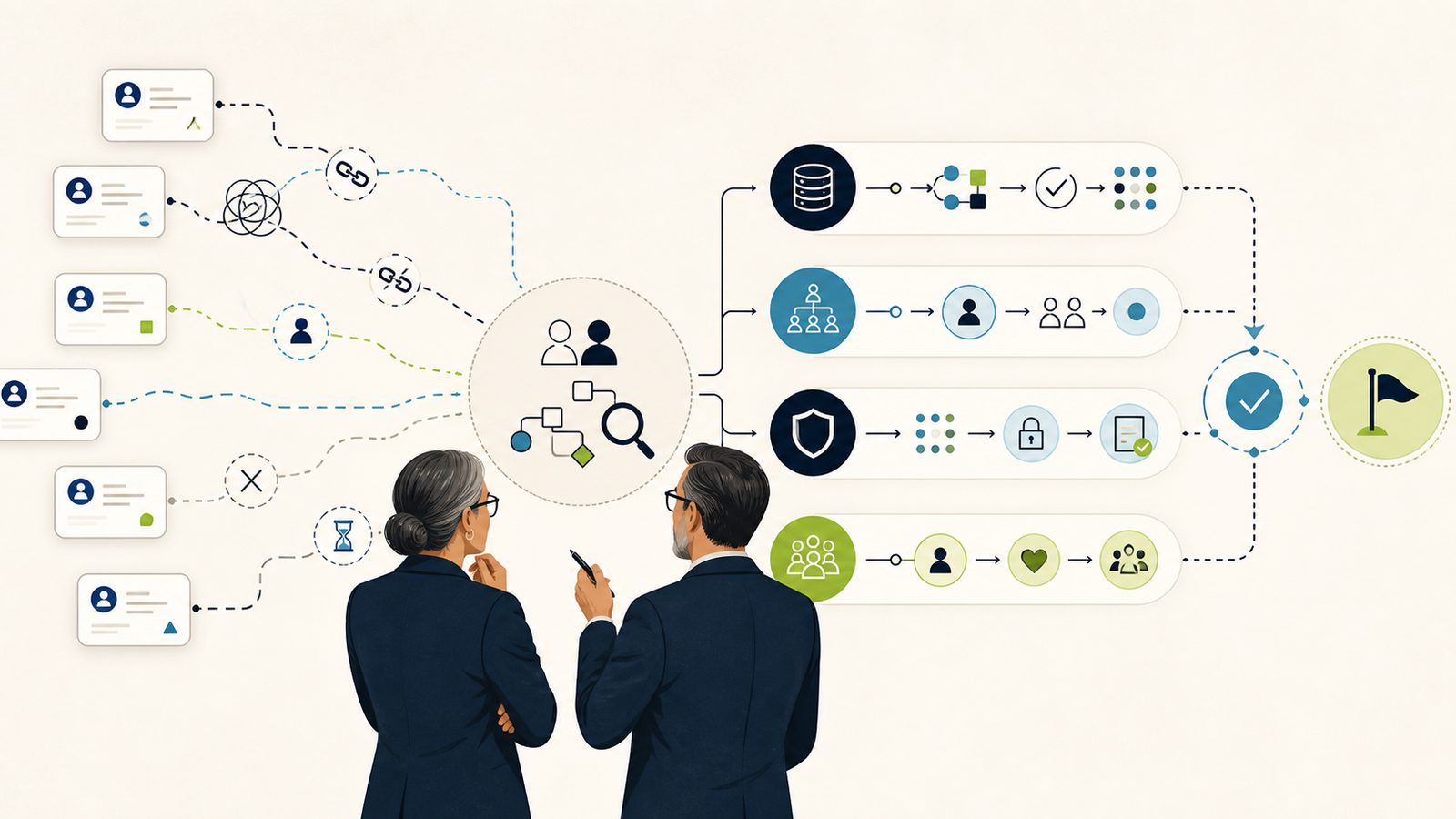
This Dynamics 365 adoption rescue Minnesota implementation guide gives a Minnesota or Twin Cities business-application owner, solution architect, or…
Dynamics 365 Adoption Rescue Minnesota Implementation Guide
Dynamics 365 adoption rescue is a controlled recovery cycle you run around one stalled business journey, not a broad reimplementation. This Dynamics 365 adoption rescue Minnesota implementation guide gives a Minnesota or Twin Cities business-application owner, solution architect, or operations lead a reproducible sequence: preserve evidence, set a change freeze, reproduce the failed workflow with a representative user, isolate the failure lane, build the smallest supported change in a nonproduction environment, validate it against acceptance tests, then release with a rollback plan and a clear support handoff.
The method below is Betters Agency editorial guidance placed on top of current Microsoft product documentation. Betters Agency sells Dynamics 365 and Power Platform consulting, and we state plainly throughout where the responsible answer is to repair your incumbent system, simplify the process, or choose a lighter tool instead. Use the runbook to recover one workflow that people are avoiding, delaying, or completing outside the system.
The direct answer and the adoption symptoms you can observe
Begin with a plain description of the failed journey. Choose one business process a real person owns end to end. For a project-centric professional services firm in the Twin Cities, a practical starting point is the opportunity-to-project handoff: a salesperson closes work, and delivery is supposed to receive a clean project record with scope, budget, and staffing. Adoption has failed when that handoff happens in email, a spreadsheet, or a hallway conversation while Dynamics 365 sits half-used.
Name the accountable process owner before anything else. For this guide, call her the professional services operations lead. Write down the baseline you can measure today: how many handoffs completed inside the system last month, how many required rework, and how long the intended path takes when someone actually follows it. A rescue without a baseline cannot demonstrate that it improved anything.
Adoption symptoms are observable. Watch for records created outside the expected path, stages skipped or back-filled after the fact, users who keep a private spreadsheet, reports that people distrust, duplicate accounts, automation that fails quietly, and a support queue holding the same three complaints. Each symptom points toward a different failure lane, and the diagnosis depends on separating those lanes before you touch production.
Separate the lanes early. A user who cannot see an app or a row has an access and role problem. A user who can complete the task but distrusts the numbers has a data-quality problem. A user whose record never reaches delivery may have an automation or integration problem. A form that behaves differently for different people may carry a solution-layer or customization problem. A screen that takes fifteen seconds to save has a performance problem. A team that simply refuses the system has an adoption or ownership problem. The rest of this guide diagnoses each lane on its own evidence.
When a rescue fits, and when a lighter fix is the better call
A bounded Dynamics 365 adoption rescue fits when the platform is already in place, identity and access already run through your Microsoft environment, the workflow logic mostly exists, and the failure is concentrated in one journey you can name and measure. In that situation, the platform mechanisms for security, release control, testing, and monitoring give you a governed path to recover the workflow.
A rescue is the wrong tool in a few clear cases. When the underlying process is broken and no CRM would save it, fix the process and the handoff first. When a sound incumbent non-Microsoft system already carries the workflow, its data, and its integrations, moving platforms would relocate the problem rather than solve it. When the motion is genuinely simple and governance is intentionally light, a heavier platform can add operating effort the business does not want to carry. Betters Agency benefits commercially when you choose Dynamics 365, so we hold ourselves to that honesty: the responsible recommendation is sometimes to repair what you have or to simplify.
If your evidence points at platform misfit rather than a recoverable workflow, pause the technical work and open the platform-direction question instead. Our companion articles cover that decision: the business value and leadership framework for the investment and governance case, and the Microsoft versus alternatives opinion for a candid comparison with repair-in-place and lighter-system options.
Prerequisites: preserve evidence and set a change freeze
The prerequisites in this Dynamics 365 adoption rescue Minnesota implementation guide exist to protect evidence so your diagnosis reflects the real system, not a version you altered while investigating. Assemble the following before you change anything.
- A named process owner and an executive sponsor who can hold the freeze.
- Read access to production evidence: the failed records, the security roles involved, recent solution and configuration changes, flow run history, and audit history where auditing is enabled.
- A representative non-admin user account that carries the same roles as the people who are struggling. Administrators see the system through elevated privilege, which hides the exact access problems you are trying to reproduce.
- A nonproduction environment where you can build and test the smallest supported change.
- Written entry and exit criteria for the rescue, plus a support owner ready to receive the handoff.
Set a temporary change freeze on the affected components while diagnosis proceeds. In a Twin Cities professional services firm, timing that freeze matters: a delivery-operations lead will not thank you for freezing the pipeline during month-end billing, so schedule the window around the local operating calendar and communicate it to the sponsor. The freeze protects your evidence; it is a control, not a punishment.
Capture a reproducible test case now. Record the exact steps, the user role, the record, and the expected result. You will run this same test after every change so acceptance is objective.
Architecture, environment, security, data, and ownership boundaries
Understand the boundaries you are working inside before you design a repair. Microsoft’s guidance frames the whole effort as a lifecycle. Microsoft’s Dynamics 365 implementation guide organizes work into the Strategize, Initiate, Implement, Prepare, and Operate stages. Treat that as lifecycle guidance for where your rescue sits, not as a guarantee or a mandatory consulting method.
Environments are purpose-specific boundaries, and solutions are the mechanism that moves components between them. Microsoft’s application lifecycle management basics describe how environments separate purposes, how solutions transport components, how managed solutions are used outside development, and that solutions do not contain business data. Two consequences follow for a rescue. First, you can build and test a fix in a nonproduction environment and promote it through a solution. Second, because solutions carry components and not data, moving a solution never moves your production records, so data recovery is a separate decision handled through other controls.
Access is governed by security, and access failures are frequently the first thing to check. Microsoft documents that model-driven app sharing and the data a user can reach depend on Dataverse security roles and table privileges, and that a user needs an applicable environment identity and role assignment. Exact roles and licensing depend on your tenant and the installed apps, so confirm the actual assignments rather than prescribing a blanket role.
Ownership boundaries are organizational. Decide who owns the security model, who owns the data, who owns each integration, and who owns the solution and its releases. Smaller Minnesota firms often assign several of these accountabilities to the same person, and that is workable as long as the decisions and handoffs stay distinct on paper.
A reproducible diagnosis and implementation sequence
Run the lanes in order. Reproduce the failed journey with your representative non-admin user first, and only then read the supporting evidence for the lane the symptom implicates. Correlate the reproduced journey with role assignments, solution evidence, flow run evidence, runtime observations, audit history, data-quality checks, and user feedback. No single tool provides a complete diagnosis, so let the tools answer the specific questions they were built for.
Lane 1: access and role
Sign in as the representative user and attempt the exact task. If the app, the table, or the row is invisible, compare the user’s assigned security roles and table privileges against what the task requires. Because sharing and data access depend on Dataverse roles and table privileges, an access symptom usually resolves to a missing or incorrect role assignment rather than a code defect. Record the exact role change you intend and carry it into the nonproduction environment for testing.
Lane 2: data quality
When the user can complete the task but distrusts the result, examine the data. Duplicate records and inconsistent values erode trust quickly. Microsoft’s duplicate detection uses published rules and match codes and supports specified interactive, import, and scheduled checks. Two limits matter for a rescue: simultaneous creates and certain paths can slip past interactive detection, so a clean duplicate-detection result is evidence rather than proof that no duplicate exists. Test your rules before you rely on them, and never treat a rule run as permission to bulk-delete records.
Lane 3: automation and integration
If a record is entered correctly but never arrives downstream, follow the automation. Read flow run history for the affected process and identify whether the run failed, succeeded silently against the wrong target, or never triggered. Where an integration hands off to another system, confirm the handoff completed and the return path updated the source. Capture the failing run as evidence; it defines the acceptance test you will run after the repair.
Lane 4: solution-layer and customization
When a form behaves differently for different users or a field will not do what the design says, inspect the layers. Microsoft’s solution layers show the order and property detail of component changes, and the active layer determines runtime behavior. This is where a rescue earns its discipline. Microsoft warns that removing an active unmanaged customization cannot be reversed and that associated data may be lost. Inspect and preserve the evidence first, understand which layer is winning at runtime, and design the smallest supported change. Removal of an active unmanaged customization is a considered, evidence-backed action, never a generic opening move.
To isolate form and customization behavior at runtime, Microsoft’s Live monitor records model-driven app activity and can help you see what a form actually does as the user exercises it. The events you see depend on app activity, the user’s access, and the filters you select, so drive the exact failing path while monitoring.
Before you import a change, run static analysis. Microsoft’s solution checker performs static analysis of supported unmanaged-solution components and reports problematic patterns. A checker pass is useful early warning; Microsoft is explicit that it does not guarantee import success and is not runtime telemetry, so pair it with your validation tests rather than treating a clean result as a release approval.
Lane 5: performance
When the task technically works but people abandon it because it is slow, gather runtime signal. Microsoft’s Power Platform Monitor uses aggregated runtime event logs to provide health metrics, logs, and recommendations for supported resources when prerequisites are met. Read it with its limits in mind: the metrics are not real-time, resources that are unused do not appear, and the product view currently lists Dataverse and Dynamics 365 categories as not yet available. Because of that coverage boundary, do not claim a single dashboard observes your whole Dynamics 365 estate; correlate it with the reproduced journey and user feedback.
Lane 6: adoption and ownership
Some failures are human. When access, data, automation, and customization all check out and people still avoid the system, the problem is adoption or ownership. Microsoft’s change-management guidance connects process, technology, and people work and advises applying activities in proportion to organizational size, complexity, and risk. Microsoft’s Power Platform adoption methodology covers strategy, roles, security, governance, operations, availability, readiness, and community. Use these to design proportional readiness work: a named owner, a short reason the change helps the user, and a support path. Treat both as frameworks that shape the work, not as evidence of a specific outcome or a promised adoption level.
Build the smallest supported change in a nonproduction path
With the lane diagnosed, build the smallest change that recovers the journey. Do the work in a nonproduction environment, bind it to a solution and a version, run solution checker, and test it against your recorded journey with the representative role. Governance should scale with the change. Microsoft’s governance at scale guidance describes policies, roles, environment management, data access, solution standards, and monitoring that evolve with adoption; fit that model to your scale and risk rather than importing a large-enterprise process into a forty-person firm.
Validation and acceptance tests
Test the recovered business journey, not only the component you changed. Microsoft’s Dynamics 365 testing strategy binds business-process scope, cycles, roles, environments, entry and exit criteria, and tracked outcomes. Select the test types and scope for your actual solution; a test plan structures the work but does not guarantee success.
An acceptance test for a rescue should cover:
- The happy path, run by the representative non-admin role, end to end.
- Edge cases you saw in the evidence, including the exact record that failed.
- Correct role access, so the person who could not see the row now can, and people who should not see it still cannot.
- Representative data rather than a single clean sample.
- Integration failure handling, so a downstream outage produces a visible, recoverable state.
- A concurrent-event case: two users acting at the same moment on the same record, to confirm a duplicate or a race does not slip through.
- A measurable friction check against your baseline: did the handoff time or rework rate move.
- An explicit go or no-go checkpoint with a named decision owner.
When you release, use Microsoft’s go-live checklist as your readiness frame. It covers testing, performance, integration, data migration, external dependencies, change management, support, monitoring, cutover, and sign-off. Readiness guidance improves your odds; it does not certify the result or guarantee adoption.
Where you need durable evidence of what changed after release, configure auditing deliberately. Microsoft’s Dataverse auditing can log configured record changes and user access at environment, table, and column levels. Permissions, retention, storage, delay, and operation coverage all apply, so treat auditing as a configured evidence surface rather than a complete automatic forensic log.
Failure modes and targeted diagnostics
Expect specific ways a rescue goes wrong, and match each to a targeted diagnostic.
- The fix works for an administrator but fails for the real user. Cause: elevated privilege masked the access defect. Diagnostic: rerun the test as the representative non-admin role and compare security roles and table privileges.
- The form still misbehaves after the change. Cause: an active layer you did not account for is winning at runtime. Diagnostic: reinspect solution layers, confirm which layer is active, and observe the exact path in Live monitor.
- The import fails even though static analysis passed. Cause: solution checker is static analysis and does not guarantee import success. Diagnostic: read the import log, resolve the specific dependency or component error, and reimport.
- Records still do not reach delivery. Cause: the automation triggers on a path the users do not take, or an integration silently targets the wrong record. Diagnostic: trace flow run history for the exact failing case and confirm the downstream write.
- Duplicates keep appearing. Cause: simultaneous creates or a path that evades interactive duplicate detection. Diagnostic: test the duplicate rules against the real creation paths, and add a concurrent-create test rather than assuming detection covers every route.
- Users accept the fix technically but keep their spreadsheet. Cause: an adoption or ownership gap, not a technical defect. Diagnostic: return to change-management and adoption work with the named owner.
Rollback, compensation, and manual recovery
Plan the exit before the entry. A rescue needs both a component-level rollback or compensation and an environment-level recovery decision, and these are different controls.
Component-level rollback relies on your solution discipline. Because you bound the change to a solution and a version and tested it in a nonproduction path, you can reverse or supersede that component change through the same governed mechanism. Where a change touched an active unmanaged customization, remember Microsoft’s warning that removing an active unmanaged customization cannot be reversed and may lose data. That single fact is why the removal decision belongs after layer inspection and evidence capture, with a compensation plan ready if data is affected.
Environment-level recovery is a separate, constrained control. Microsoft’s environment backup and restore has documented source, target, region, capacity, and production constraints. Treat restore as environment-level recovery, not as a component rollback or a universal undo, and test the actual restore behavior for your tenant before you depend on it during an incident.
Manual recovery covers the gap while a fix is pending. Define the interim path people should follow if the workflow is down, who reconciles the records created outside the system, and how those records re-enter Dynamics 365 once the fix ships.
Hold three stop rules. Removing active unmanaged customizations, restoring production, and bulk data cleanup are never generic first steps and never guaranteed rollbacks. Each is a considered action taken after evidence, with its own reversibility limits and its own owner.
Operational ownership checklist
Hand the recovered workflow to a named operating model so it does not stall again. Name each accountability distinctly, even where one person holds several in a smaller firm.
- Executive sponsor: holds the change freeze and the go or no-go decision.
- Business process owner: owns the journey and its baseline.
- Dynamics 365 product owner: owns the app and its backlog.
- Platform administrator: owns environments and tenant settings.
- Technical lead: owns the solution design and the repair.
- Data steward: owns data quality and duplicate rules.
- Security owner: owns roles and table privileges.
- Integration owner: owns each handoff to and from other systems.
- Adoption lead: owns readiness, training, and the reason the change helps users.
- Release manager: owns solution versioning, promotion, and rollback.
- Support owner: receives the handoff and owns the queue after go-live.
Measure whether the recovered workflow supports the decision it exists to inform. Choose a small set of measures such as handoff completion inside the system, rework rate, duplicate and exception backlog, access failures, automation success, and support demand. Give each measure a baseline, a source, an owner, a review cadence, and a decision it drives. A number without an owner and a decision use is decoration.
Frequently asked questions
Where should a Dynamics 365 adoption rescue start?
With one business journey a named person owns, a written baseline, and a reproducible test case. Recover that single workflow, prove it against exit criteria, and only then consider the next one.
Can I just remove the customization that seems to be causing the problem?
Inspect the solution layers first. Microsoft warns that removing an active unmanaged customization cannot be reversed and may lose associated data, so treat removal as an evidence-backed decision with a compensation plan, never as a quick opening move.
Does solution checker tell me the fix is safe to import?
It performs static analysis of supported components and reports problematic patterns, which is valuable early. Microsoft is clear that a checker result does not guarantee import success and is not runtime telemetry, so pair it with your acceptance tests.
Will one monitoring dashboard show my whole Dynamics 365 estate?
Not today. Power Platform Monitor provides aggregated metrics for supported resources with prerequisites, and its product view currently lists Dataverse and Dynamics 365 categories as not yet available. Correlate it with the reproduced journey, flow runs, and user feedback.
How long will a rescue take?
This guide does not promise a recovery duration. The honest answer depends on the failure lane, the evidence, and your change and testing capacity. Bound the scope, set exit criteria, and let the criteria decide when the work is done.
Why does an administrator account keep hiding the problem?
Administrators see the system through elevated privilege, which can mask access failures. Always reproduce the failed journey with a representative non-admin user who carries the same roles as the people who are struggling.
What if the evidence says Dynamics 365 is the wrong platform?
Pause the technical rescue and open the platform-direction question. Sometimes the responsible call is to repair a sound incumbent system, simplify the process, or choose a lighter tool, and our leadership and opinion articles walk through that decision.
Bring us one workflow
If you have named the stalled journey and want a second set of eyes on the diagnosis and the safest recovery path, Review a Workflow with Betters Agency in a 25-minute Workflow Opportunity Review. We are a Minnesota Dynamics 365 and Power Platform consultancy, and we will tell you honestly when a lighter process fix or a different system is the better answer.