
Blog
CRM Rescue Consultant Minnesota Implementation Guide
nbetters · · 15 min read
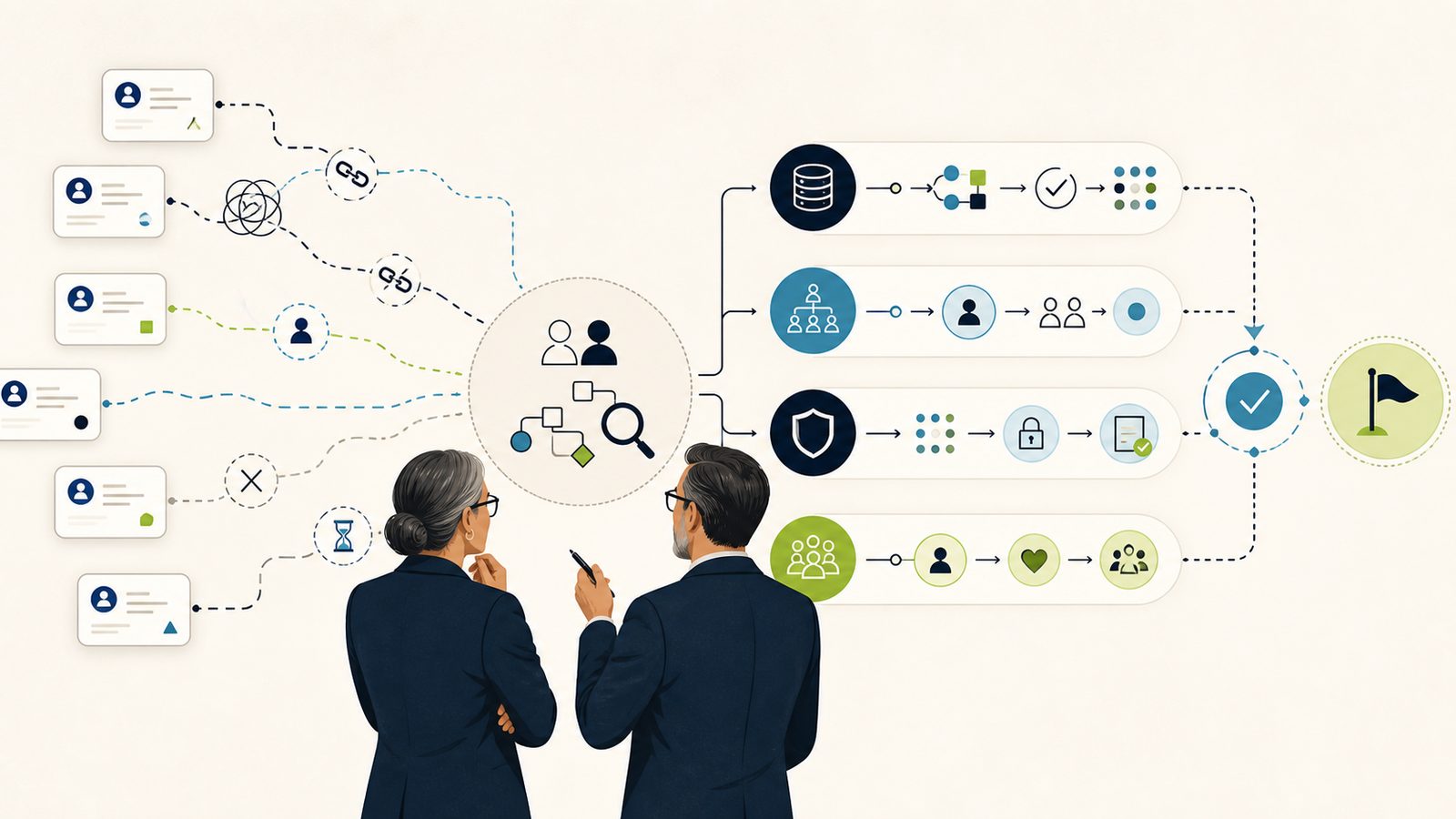
A CRM rescue is a controlled cycle of evidence, repair, validation, release, and rollback.
A CRM rescue is a controlled cycle of evidence, repair, validation, release, and rollback. It is not a redesign sprint, and it is not a rip-and-replace. If your Dynamics 365 or Dataverse system is dropping pipeline stages, losing follow-ups, breaking a sales-to-delivery handoff, or blocking users from records they should see, the responsible first move is to stabilize the process and preserve evidence, then repair the smallest supported thing that restores the broken business journey. This guide gives Minnesota teams a reproducible runbook for that work.
This is the technical sibling in our CRM rescue set, written for the person doing the hands-on recovery: a platform administrator, solution architect, business-applications owner, or the IT lead at a Twin Cities professional services firm. The frame here is diagnosis, repair, and rollback. The investment case, the operating model, and the platform-direction argument live in separate guides, linked below, so this page can stay technical.
Disclosure up front: Betters Agency sells Dynamics 365 and Power Platform consulting. We will still tell you when the right answer is to repair the incumbent system, simplify a process, or leave the platform alone. That honesty is the point of a rescue.
What a CRM rescue actually is
Treat a rescue like controlled service recovery, not a fresh build. The first deliverable is not a new form or a new flow. It is an incident-style record that captures the affected business journeys, the observable symptoms, the users and roles involved, recent changes, integration dependencies, data-quality exceptions, and one reproducible test that fails today. Everything after that record is a hypothesis you can test against it.
While you build that record, stop unrelated production customization. A rescue that keeps changing production while it diagnoses production cannot tell whether a symptom improved because of the repair or because of an unrelated edit. A change freeze protects the evidence. This is our recommended operating frame, not a Microsoft product behavior.
Start with symptoms and incident scope
Write down what the business sees, in plain operating language, before you name a cause. A good symptom statement reads like an incident: "Account owners in the Sales app cannot see opportunities they created after August 1st," or "The sales-to-delivery handoff flow stopped creating project records last Tuesday." Attach a reproducible test to each one, ideally run by a representative user in a representative role rather than by an administrator whose broad access hides the failure.
Capture recent changes alongside the symptoms. Note solution imports, security-role edits, flow updates, integration deployments, and data loads. You are not blaming a change yet. You are building the timeline you will later confirm with evidence.
Separate the failure lanes
Sort every symptom into one of these lanes before you diagnose. Mixing lanes is how a rescue stalls:
- Access and security: users cannot see, create, or edit records they should, or can see records they should not.
- Data: duplicates, orphaned records, broken ownership, or bad values that corrupt reports.
- Automation and integration: flows, plug-ins, or external syncs that fail, double-fire, or silently stop.
- Customization and solution: form logic, business rules, or component changes that alter runtime behavior.
- Performance and adoption: slow surfaces, or a technically working system that people route around.
A symptom can touch two lanes, but you diagnose one lane at a time so your evidence stays clean.
Prerequisites before you touch production
Do not open the customization surface until these are in place. Skipping them is how a rescue becomes a second incident.
Freeze unrelated change
Agree, in writing, that no unrelated production customization ships during the diagnostic window. For a Minnesota professional services firm, time this around the operating calendar: a change freeze during quarter-end billing or a delivery crunch protects both the evidence and the revenue that depends on the CRM working that week. Name who can approve an exception and what qualifies.
Capture backups and evidence
Dataverse environments have system backups, and Microsoft advises taking a manual backup before major customization or a version update, as described in environment backup and restore. Treat that backup as an environment-level recovery control, not a one-click rollback of a single component: restore has region, capacity, source and target, and production constraints, and it targets sandbox environments rather than reversing one edit in place.
Alongside the backup, capture solution and configuration evidence, flow run histories, role assignments, and audit history so you can reconstruct state later. A backup preserves data. It does not replace source control, solutions, or a tested deployment package.
Architecture and security boundaries
A rescue moves faster when you respect the boundaries the platform already draws.
Environments and solutions
In Power Platform, environments separate data, apps, and processes, and solutions transport components between them. Managed solutions are intended for use outside development, and Microsoft recommends keeping solution source in source control. This is the core application lifecycle path documented in Power Platform ALM basics. The rescue implication is direct: make the smallest supported change in a nonproduction environment, bind it to a solution and a version, test it against the failed journey, and promote only after exit criteria pass. Solutions do not carry business data, so do not assume a solution import moves records, and do not infer licensing or an automatic rollback from the ALM model.
Microsoft’s broader lifecycle frame, the Success by Design implementation guide, moves through Strategize, Initiate, Implement, Prepare, and Operate stages. Use it as a lifecycle reference for how a rescued change reaches production, not as a promise of success or a mandatory methodology.
Role-based access
Dataverse security roles govern app and data access inside an environment, and tenant-level administration does not automatically grant direct Dataverse data access, as documented in Dataverse security roles. The exact roles depend on the environment and the installed Dynamics 365 apps. For a rescue, this means an access failure is reproduced with a representative security role, not with an administrator account, because admin scope can mask the very restriction you are chasing.
The diagnostic sequence
Work the lanes you sorted earlier. Reproduce, then correlate the reproducible journey with the specific evidence surface for that lane. Do not act on a single tool’s output as if it were a full diagnosis.
A named diagnostic decision tree
Turn the lanes into a repeatable decision tree so any engineer on the team reaches the same next step. Name each branch and its exit, and record which branch you took:
- Start at the reproducible test. If it does not fail on demand for a representative user, stop and rebuild the test before you diagnose anything, because a test you cannot reproduce cannot confirm a repair.
- Ask whether the failure is an access decision. Reproduce with a representative role and walk app sharing, team or group membership, role assignment, table privileges, business-unit depth, and field security. If access explains the symptom, exit to the smallest-change repair path. If not, write down what you ruled out and continue.
- Ask whether the record state is wrong. Check for duplicates, broken ownership, and bad values against a governed rule and a sample. If the data is the defect, exit to the data-repair branch with a tested mapping. If the data is clean, continue.
- Ask whether automation moved or corrupted the record. Read run history on the exact runs that failed the journey and confirm whether the flow stopped, double-fired, or wrote bad data. If an integration outside the CRM owns the failure, hand it to that system’s owner and stop editing CRM logic.
- Ask whether a customization layer changed runtime behavior. Inspect solution layers before touching anything, then exit to a deliberate, backed-up repair rather than a reflexive removal.
Record the branch you exited on in the incident record, so the reviewer and the next engineer can see why a lane was chosen and what was ruled out along the way.
Access and security failures
Reproduce the failure with a representative role, then confirm, in order: app sharing, group or team membership, role assignment, table privileges, business-unit depth, and field security. Change business logic only after you have ruled out access, because a repair to logic that was never broken adds a new variable to a live system.
Data failures
Data problems need a governed rule set, not a bulk operation. Dataverse duplicate detection uses published match-code rules and supports detection during specified create, update, and import paths as well as scheduled jobs, as documented in Dataverse duplicate detection. Documented limits apply, not every path shows a duplicate warning, and a rule should be tested before any cleanup. Define the surviving record and ownership rules first, run against a sample, reconcile downstream integrations, and only then apply larger cleanup. Never bulk-delete or merge without a tested mapping and a rollback boundary.
To reconstruct what changed on a record, configured Dataverse auditing can log customer-record changes and user access, and it is enabled at the environment, table, and column levels, as described in Dataverse auditing. Auditing has permission, retention, storage, delay, and operation-coverage limits, so treat it as supporting timeline evidence, not a complete automatic forensic log of every configuration change, read, or export.
Automation and integration failures
For flows and integrations, start with run history and error detail on the specific runs that failed the business journey. Confirm whether the automation stopped, double-fired, or completed while writing bad data. Correlate the run evidence with the timeline of recent deployments. Keep integration ownership visible: an external sync outside the CRM can present as a CRM symptom, and replacing CRM logic will not fix a problem that lives in the connected system.
Customization and solution failures
This is where an unplanned change can do irreversible damage, so slow down. Solution layers show the order and property detail of component changes, and the active layer determines runtime behavior, as documented in solution layers. Inspect and record the layers before you touch anything. Removing an active unmanaged customization cannot be reversed and may lose associated data, so layer inspection is a read-first activity. Never make layer removal a generic first step.
To find problematic patterns in a solution, solution checker statically analyzes supported components in an unmanaged solution and reports issues, as documented in solution checker. Read its output as static analysis, not as runtime telemetry, and remember it does not guarantee that a solution import will succeed.
To separate configured form behavior from customization behavior at runtime, Live monitor logs model-driven app activity and can help isolate form behavior and customization effects, as documented in Live monitor for model-driven apps. The events you see depend on app activity, your access, and the filters you select.
For operational health, the admin-center Monitor area provides health metrics, logs, and recommendations for supported Power Apps and Power Automate resources when prerequisites are met, as described in Power Platform Monitor overview. Tenant analytics and roles matter, the data is aggregated rather than real-time, unused resources may not appear, and current Dataverse and Dynamics 365 coverage is limited. No single admin dashboard observes the entire CRM, so correlate its signals with the layer, checker, and run evidence above.
These surfaces answer different questions. Correlate the reproducible user journey with solution and configuration evidence, telemetry, flow runs, role assignments, audit history, and data-quality checks before you name a root cause.
The smallest-change repair path
Once evidence points to a cause, repair the smallest supported thing that restores the failed journey, and do it in a nonproduction path. Bind the change to a solution and a version, then test it against the exact reproducible test you wrote at the start. Resist the urge to bundle unrelated cleanup into the same change: a rescue release you cannot cleanly reverse is a liability, and a focused change is one you can validate and roll back with confidence.
When the cause is an unmanaged layer, record the layers, plan the removal as a deliberate step with a backup in place, and confirm what data or behavior the removal affects before you proceed. Layer removal is a considered repair, never a reflex.
Validate before cutover
Validation is where you earn the right to touch production. Bind test scope, cycles, ownership, and entry and exit criteria to the affected business processes, data, integration, security, usability, operability, and continuity needs, as Microsoft’s Dynamics 365 testing strategy describes. Select the tests that fit the actual repair; no test plan guarantees an outcome, so exit criteria are a gate, not a promise.
Before the change reaches production, run the go-live gate. Readiness includes test sign-off, data-migration validation, external dependencies, change management, support, monitoring, cutover ownership, and clear go or no-go criteria, as described in Microsoft’s go-live checklist. This is guidance, not a certification of readiness, but a rescue that passes these gates is one a sponsor can approve with evidence rather than hope. Have a representative user confirm the recovered journey in a test environment before cutover, not after.
Common failure modes
These patterns can undermine a CRM rescue, and naming them helps you avoid them:
- Diagnosing with an admin account, so an access failure never reproduces.
- Treating solution checker output as a deployment guarantee or as live telemetry.
- Reading one admin dashboard as if it observed the whole CRM.
- Removing an active layer as a first move, then discovering the removal cannot be reversed.
- Running a bulk merge or delete before a duplicate rule and its match codes were tested on a sample.
- Assuming an environment restore is a component rollback, then losing scope you did not intend to touch.
- Fixing CRM logic when the real defect lives in a connected system or an undefined process.
Each of these is avoidable with evidence first and the smallest supported change.
Rollback triggers and recovery
Define your rollback before you deploy, not during the incident. State the explicit triggers that reverse the change: a failed exit criterion in production, a new symptom in an unaffected journey, or an integration that starts failing after cutover. Decide in advance which control you will use.
Keep two recovery options distinct. A component rollback reverses a specific solution change you made in a controlled path. An environment restore is broader and constrained, and per the environment backup and restore documentation it targets sandbox environments and has region, capacity, and source and target rules. Write down the stop rule for both destructive layer removal and production restore, so nobody improvises an irreversible action under pressure. If a trigger fires, execute the planned rollback and return to the evidence, rather than layering a second untested change onto the first.
The rollback decision record
Write the rollback down as a short record before deployment, not as a memory during the incident. A workable record names, in one place:
- The change under release, bound to its solution and its version.
- The exact triggers that reverse it: a failed production exit criterion, a new symptom in an unaffected journey, or an integration that starts failing after cutover.
- The chosen recovery control for each trigger: a component rollback for a solution change, or an environment restore for a broader failure, with its sandbox, region, capacity, and source and target constraints acknowledged rather than discovered mid-incident.
- The named person who can call the rollback and the signal they watch.
- The stop rule for any destructive step, so nobody improvises an irreversible layer removal or production restore under pressure.
A rollback the team wrote down and walked through is one it can execute calmly. A rollback nobody recorded tends to become a second incident of its own.
Operating checklist and handoff
A rescue is not done when the symptom clears. It is done when someone owns the recovered journey. Governance should evolve with adoption and include policies, defined roles, environment management, data access, solution standards, and monitoring, as described in Microsoft’s guidance to govern Power Platform at scale. Fit that model to your firm’s scale and risk; a 60-person Twin Cities services firm does not need the governance surface of an enterprise, but it still needs named ownership.
A workable handoff checklist:
- The reproducible test now passes in production, confirmed by a representative user.
- The change is bound to a solution and a version, with source in source control.
- A named owner holds the recovered journey, with a monitoring signal to watch.
- Rollback triggers and the environment recovery option are documented.
- The incident record, evidence, and decisions are stored where the next person can find them.
The investment case, the full operating-model role map, and the measurement scorecard are covered in the companion guides so this page can stay on the mechanics.
Post-rescue operating cadence
Recovery holds only if someone keeps watching after the symptom clears. Set a light, recurring cadence tied to the recovered journey rather than a one-time sign-off:
- A short daily check on the recovered journey for the first operating week, run by the named owner, watching the monitoring signal and rerunning the reproducible test.
- A weekly review of flow run history, audit history, and any new solution imports that touch the affected components, so an unrelated change does not quietly reopen the failure.
- A monthly governance check that the environment, role, solution-standard, and monitoring decisions still fit the firm’s scale and risk as adoption changes.
Keep the cadence proportionate. A smaller firm does not need a formal operations board, but it does need a named owner, a signal to watch, and a documented place where the next person can find the incident record and the decisions behind the repair. When the cadence runs quietly through a full operating cycle with no regression, the recovered journey has genuinely been handed off rather than merely patched.
A Minnesota decision context
Consider a hypothetical Twin Cities professional services firm of about 60 people that runs its operations on Microsoft 365 and Dynamics 365. For this example firm, one CRM journey carries obvious operating weight: the handoff that turns a won deal into a staffed, billable project. Picture that sales-to-delivery handoff failing. In that scenario the consequences land in the same operating period, with late project setup, missed time entry, and billing leakage. A local rescue should protect that journey first, sequence the change freeze around the firm’s billing and delivery calendar, and confirm the recovered handoff with a real account owner and a real delivery lead before cutover. That is how a rescue restores a decision the business actually makes, not just a screen that renders.
Frequently asked questions
Is a CRM rescue the same as a reimplementation?
No. A rescue restores a specific broken business journey with the smallest supported change, on evidence, with a rollback path. A reimplementation rebuilds. Start with the rescue: if the evidence later shows a genuine platform misfit, that is a separate decision covered in our Microsoft versus alternatives article.
Can I just restore a backup to fix everything?
A backup is essential, but an environment restore is broad and constrained, targets sandbox environments, and is not a component rollback. Use it as an environment-level recovery control and pair it with solution-bound changes you can reverse precisely.
Should I remove the top solution layer to change behavior?
Not as a first move. Inspect and record layers first. Removing an active unmanaged customization cannot be reversed and may lose data, so treat removal as a deliberate, evidence-backed repair with a backup in place.
How do I prove who changed a record?
Configured Dataverse auditing can log record changes and user access, subject to permission, retention, storage, delay, and coverage limits. Use it as supporting timeline evidence, correlated with solution layers and flow run history, rather than as a complete forensic record.
How long will a rescue take?
We do not quote a recovery duration, because it depends on the evidence, the lane, and the change. What we can commit to is a sequence: reproduce, diagnose the right lane, repair the smallest supported thing in a nonproduction path, validate against exit criteria, and keep a rollback ready.
Where does this fit with the rest of your CRM rescue material?
This is the technical runbook. The investment, governance, adoption, and measurement decisions are in our CRM rescue leadership and business value guide, and platform direction is in the alternatives article. For broader platform context, see our Dynamics 365 consulting overview and our objective CRM comparison guide.
Bring us one broken workflow
If one CRM journey is costing your Minnesota team every week, start small. Review a Workflow with Betters Agency in a 25-minute Workflow Opportunity Review: bring the one broken handoff, and we will help you scope the evidence, the smallest responsible repair, and the rollback path. Betters Agency sells Dynamics 365 and Power Platform consulting, and we will be candid if repairing your incumbent system or fixing an upstream process is the better call.