
Copilot Sales Agents, explained.
Microsoft is adding a family of AI agents to Dynamics 365 Sales that qualify leads, research deals, close simple sales, and keep your data clean, on their own. Here is what each one actually does, in plain language, with Microsoft’s own videos.
From a system you update to a system that works alongside you
For years a CRM was a place to record what already happened. Copilot sales agents change that: they read your data, decide what needs doing, and take action, qualifying a lead overnight, flagging a stalling deal, or fixing a record before a forecast goes out. Below is each agent Microsoft has built for Dynamics 365 Sales, sourced straight from Microsoft’s documentation.
A note on availability. Some of these agents are generally available and some are in preview (flagged below). They run on Microsoft Copilot capacity, billed by consumption, and each needs the right licensing and security setup. Part of what we do is tell you honestly which ones are ready for your team today, and configure them so they behave. Book a discovery call to map it to your setup.
Four agents that do the selling work
Each one below pairs Microsoft’s official walkthrough video with a plain-language summary of what it does and how it works. Nothing loads from YouTube until you press play.
 Watch on YouTube
 Official Microsoft video · Sales Qualification Agent
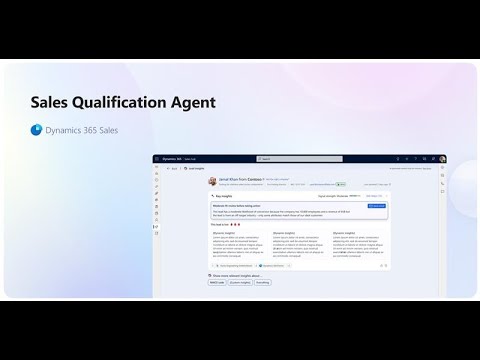
Sales Qualification Agent
Automates lead qualification so your team spends its time on the leads most likely to become deals.
How it works
- Works through the leads you assign it by criteria such as source, rating, or geography.
- Researches each lead: background, recent opportunities, and relevant company news.
- Scores fit against your ideal-customer profile and drafts tailored outreach emails.
- In research-only mode it drafts for a seller to send; in research-and-engage mode it follows up on its own, checks BANT and buying intent, hands warm leads to sellers, and disqualifies the rest.
 Watch on YouTube
 Official Microsoft video · Sales Opportunity Agent
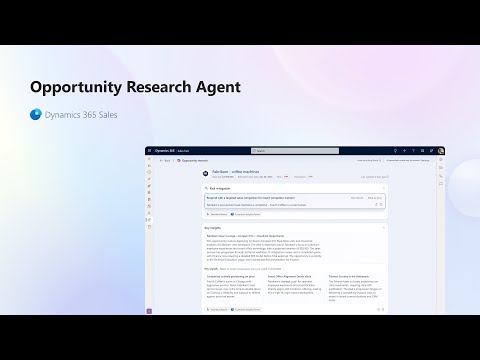
Sales Opportunity Agent
Pulls a live, one-screen picture of every open deal so sellers act at the right moment.
How it works
- Synthesizes CRM updates, email threads, meeting intelligence, and real-time web research.
- Flags risk early: disengaged stakeholders, slowing momentum, or competitive pressure.
- Surfaces buyer needs, stakeholder roles, competitor mentions, and deal health in one view.
- Prioritizes which deals are gaining traction versus at risk, and recommends the next action.
 Watch on YouTube
 Official Microsoft video · Sales Close Agent
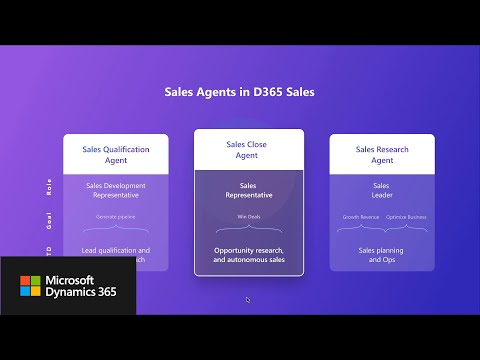
Sales Close Agent
Runs high-volume, low-complexity deals end to end, from first outreach through close.
How it works
- Reaches out with personalized messages built from templates and your customer data.
- Guides buyers through the funnel: recommends products, answers questions, handles objections.
- Stays accurate and compliant using your defined product catalog and pricing.
- Follows customizable playbooks so its behavior matches your strategy, across accounts, contacts, leads, and opportunities.
 Watch on YouTube
 Official Microsoft video · AI-powered Data Enrichment
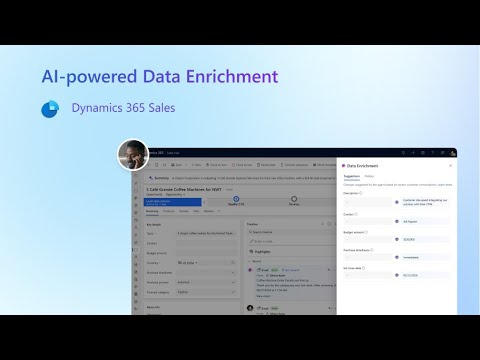
AI-powered Data Enrichment
Keeps opportunity records accurate by reading recent emails and Teams meetings and updating the fields for you.
How it works
- Scans seller-to-customer emails, Teams transcripts, and AI meeting summaries for BANT context.
- Compares what it finds against the record to spot missing or outdated fields, like close date or budget.
- Suggests updates for one-click review, or applies them automatically if you configure it to.
- Runs quietly in the background against the opportunities you scope.
Two more that make every seller sharper
These don’t run deals on their own, they make the humans and the other agents better: one answers hard questions about your data, the other tells everyone what to do next.
Sales Research Agent
A natural-language research canvas that answers complex questions about your sales data.
How it works
- Connects to your Dynamics 365 Sales data, and optionally Dataverse, Microsoft Fabric, or your own CSV, Excel, or PDF files.
- Builds a research blueprint: a summary, key findings, visualizations, and suggested next steps.
- Handles natural-language follow-ups and a “show work” view that explains how it reached each conclusion.
Recommended Actions
A single, ranked to-do list that pulls the highest-impact actions from across the other agents.
How it works
- Aggregates actions from the Sales Opportunity Agent, Data Enrichment, and your custom agents.
- Ranks them by deal importance, risk, and potential impact using AI.
- Presents clear recommendations a seller executes directly from the interface, and extends to your own or third-party agents.
 Watch on YouTube
 Official Microsoft video · Copilot architecture and responsible AI
Powerful is only useful if it’s governed
An agent you can’t explain is an agent you can’t put in front of a customer. These run on Microsoft’s Copilot architecture: grounded in your own Dynamics 365 data, governed by your identity and data-loss-prevention policies, and kept inside your tenant. You decide what each agent may do on its own and what always stops for a human.
That governance is exactly where we spend our time: scoping each agent narrowly, wiring the human-in-the-loop checkpoints, and making sure the data it reads and writes stays yours.
These agents run on a meter. We make sure you can read it.
Copilot agents aren’t a flat per-seat license, they’re consumption-based. Microsoft bills them in Copilot Credits (until September 2025 these were called “messages”), and you pay for the work the agents actually do. That’s fair, you pay for value, but it means cost scales with volume and, without governance, it can surprise you. We think you should see exactly what your agents cost before you scale them, not after the invoice.
How Microsoft meters it
A feel for the meter, from Microsoft’s published Copilot Credit rates:
- A classic, pre-written answer1 credit
- A generative (AI-written) answer2 credits
- An agent action — a trigger, a reasoning step, a hand-off5 credits
- Grounding a response in your wider tenant data+10 credits
What actually drives your bill
The knobs that move the number, up or down:
- How many records each agent works, and how often it refreshes them.
- Whether it grounds answers in your wider tenant data — optional, but ten credits each time.
- Whether it runs on a reasoning model, which bills on top of the base rate.
- How many agent instances you run — they all draw from one shared capacity pool.
- For Data Enrichment, how many emails and meeting transcripts it reads.
Per-agent limits & auto-stop
We set a monthly credit limit on each agent and switch on Stop Usage, so it shuts off at your threshold instead of running up a bill.
Consumption you can see
Per-environment allocation and per-agent usage reporting in the Power Platform admin center, plus Azure cost budgets and alerts for pay-as-you-go.
Forecast before you commit
We model the likely cost with Microsoft’s usage estimator and your real record volumes, so an agent’s price is known before it goes live.
Right model, right job
Reserve expensive grounding and reasoning for the work that justifies them, and keep routine, high-volume actions on the cheapest path.
We tie every credit to an outcome, and to your Microsoft bill
This is where we’re different. We map Copilot Credit consumption straight back to your actual Microsoft invoice and to a result — cost per qualified lead, per enriched record, per closed deal — and set it against the value the agent creates: seller hours returned, faster cycles, deals that didn’t slip. You get a plain dashboard that answers the only question that matters: is this agent worth more than it costs? If it isn’t, we’ll tell you, and help you turn it off.
Credit rates and the pay-as-you-go meter reflect Microsoft’s published figures as of 2026 and are subject to change; prepaid capacity is sold in packs of 25,000 credits per tenant per month, and several of these Sales agents are in preview. For authoritative, current pricing see Microsoft’s Copilot Studio Licensing Guide and the Dynamics 365 Sales consumption-billing docs. We confirm the numbers against your own tenant before you commit.
We turn “Microsoft has an agent for that” into it actually running
These agents ship with the platform, but they don’t configure, ground, or govern themselves. We set them up against your process, connect them to clean data, decide what stays human, and train your team, as part of the Accelerate package or ongoing expert hours.
Agent descriptions summarize Microsoft’s official documentation at learn.microsoft.com; capabilities and availability change often, so check the linked docs for the current details. Videos are published by Microsoft on YouTube and load only when you choose to play them. Microsoft, Dynamics 365, Copilot, Dataverse, Power Platform, Microsoft Fabric, and Microsoft Teams are among the trademarks of Microsoft Corporation. Betters Agency is an independent Microsoft partner and is not affiliated with Microsoft’s documentation team.
Which of these should your team turn on first?
Tell us how your sales team works today. We’ll tell you honestly which Copilot agents are ready for you, what they’ll cost to run, and how to roll them out without the chaos.