
Blog
AI Powered CRM Implementation Guide for Minnesota Service Firms
nbetters · · 19 min read
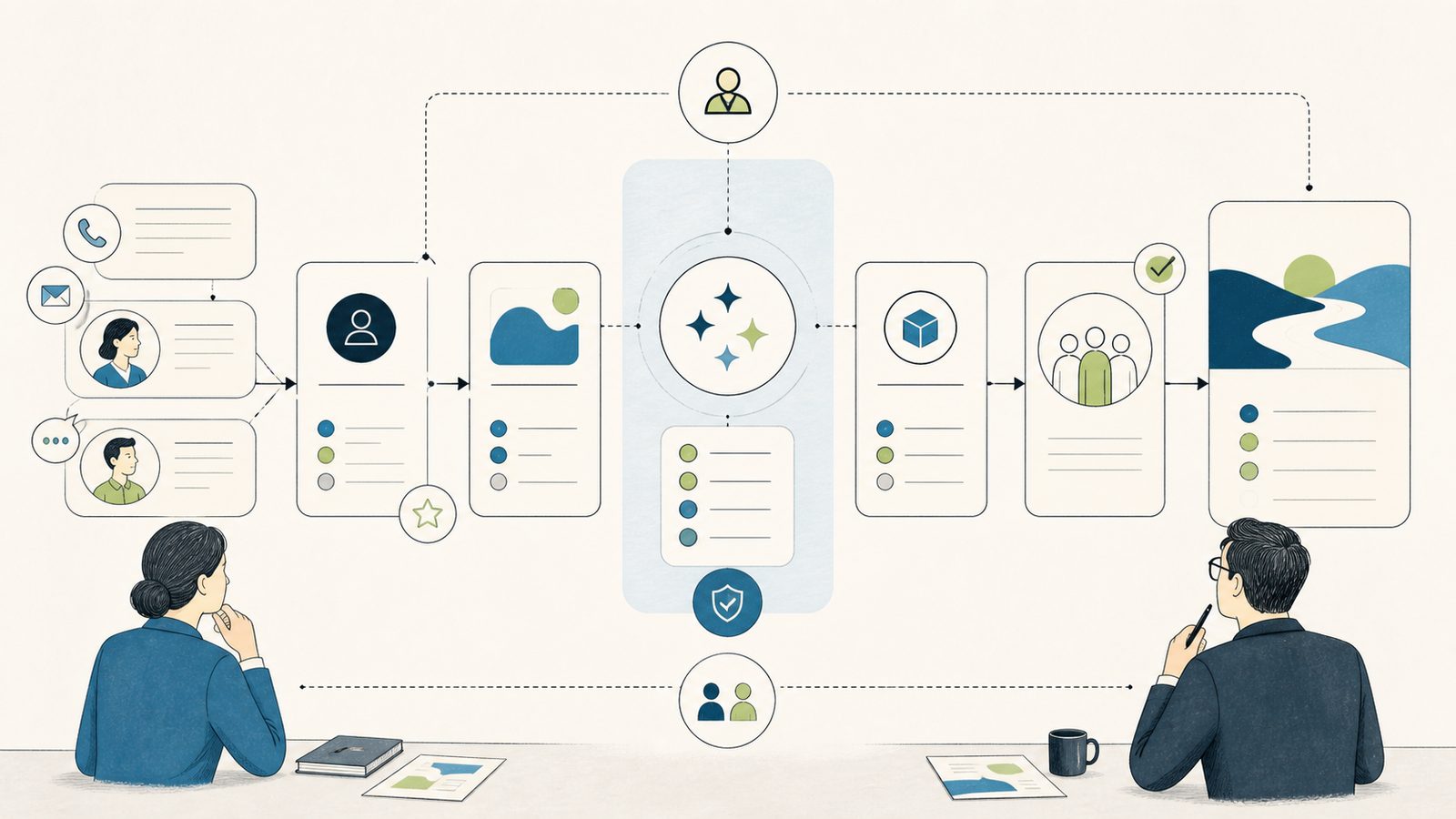
The record is a little stale, the notes live in email, and the person who knows the deal is in a delivery standup.
AI Powered CRM Implementation Guide for Minnesota Service Firms
If your firm runs 15 or more concurrent projects from the Twin Cities, your account team can lose hours each week rebuilding opportunity context before a call, a renewal, or a sales to delivery handoff. The record is a little stale, the notes live in email, and the person who knows the deal is in a delivery standup. A useful AI powered CRM implementation guide does not start with the AI. It starts with that bottleneck, the owner of the record, and the accountability you cannot lose when you add automation.
This guide covers one bounded, reproducible workflow: opportunity summaries and recent changes in Dynamics 365 Sales Copilot. It is deliberately narrow so you can enable it, validate it, and roll it back without turning your CRM into an experiment. Fund and govern the wider program separately in the AI powered CRM leadership framework, and choose your platform direction in the AI powered CRM platform comparison.
Read this as an operator, not a shopper. Every section below ties a Microsoft capability to a decision you have to make, a person who has to own it, and a way to prove the change worked before you widen access. Where a sentence describes product behavior, it maps to current Microsoft documentation linked at the end. Where a recommendation is ours, it is labeled as Betters Agency guidance, because we provide Microsoft and workflow consulting and you should know where the vendor documentation ends and our judgment begins.
Who this guide fits, and who should wait
This workflow is a strong fit when your firm already operates in Microsoft 365, Dynamics 365, Dataverse, and Power Platform and wants AI assistance near the same identity, data, workflow, and lifecycle boundaries you already manage. If your sellers already live in Outlook and your delivery team already reports out of Dataverse, adding a bounded Copilot summary is an incremental step, not a platform migration.
It is not the right first move when your firm is deeply standardized on another CRM, when the use case is simpler than a platform program, when your data and ownership are not ready, or when a lighter process fix would resolve the bottleneck on its own. That is Betters Agency guidance, not a vendor rule. If your real problem is that opportunity records are never updated after a call, a summary generated from thin data will be confidently incomplete. Fix the input discipline first, then automate the recap.
A quick self-check before you continue. Can you name the single workflow you want to improve in one sentence? Can you name the person who owns the record that feeds it? Can you describe what a wrong AI summary would cost in that workflow, and who would catch it? If any of those answers is vague, stop here and settle them, because every configuration decision below depends on them.
The symptom and the one workflow to fix first
Pick one named process before you touch a setting. A good first candidate is opportunity recap for a renewal or a sales to delivery handoff, where an owner needs a current, complete summary of an opportunity and its recent changes. The symptom is familiar: someone spends the first ten minutes of every meeting reconstructing where a deal stands, and the person inheriting the opportunity at handoff never quite trusts the record.
Copilot in Dynamics 365 Sales can summarize lead and opportunity information, surface recent record changes, help prepare for meetings, and answer questions after an administrator configures the feature. That is the reference workflow for the rest of this guide, and it is a deliberately small target. You are not deploying an assistant across every seller and every entity. You are enabling one summary and one recent-changes view for one team, proving it is useful and safe, and only then deciding whether to widen it.
Write the workflow down as a before and after. Before: the opportunity owner opens the record, reads scattered notes, checks email, and asks a colleague what changed since last week. After: the owner opens the record, reads a configured summary, scans a recent-changes list, and spends the saved time on the customer instead of on reconstruction. Keep that one-page description; it becomes your acceptance test later.
Name the owners before you name the tool
Treat AI powered CRM as one bounded workflow with named accountability, and baseline the manual workflow before enabling AI. That is Betters Agency guidance. Assign each of the following roles to a real person, and do not let one title quietly absorb another, because when a summary is wrong at the worst moment you need to know exactly who fixes it.
- Process owner: owns the workflow itself, the definition of a good recap, and the decision to expand or pause it.
- Data owner: owns the accounts, leads, and opportunities that feed the summary, and the record hygiene behind them.
- Platform administrator: owns the Power Platform and Dynamics 365 configuration, the environments, and the enablement steps.
- Security and privacy reviewer: owns the access model, regional processing decisions, and the review of what data the feature can reach.
- Adoption lead: owns training, the change to daily habits, and whether sellers actually use and trust the output.
- Support owner: owns the intake path when something breaks or a summary looks wrong, and the fix loop back to configuration.
- Measurement owner: owns the baseline, the pilot measures, and the honest read on whether the workflow improved.
These are distinct jobs even in a lean firm where one person wears several hats. The point is not headcount. The point is that every gate below has a name attached to it, so an unowned risk cannot slip into production disguised as a setting nobody remembered to check.
Baseline the manual workflow first
Baseline the current workflow before you enable anything, because you cannot prove an improvement you never measured. Use observed measures from your own records, not invented targets. Betters Agency guidance suggests a small, honest set: preparation time before a meeting or handoff, record completeness on the fields that actually matter, stale-opportunity rate, handoff exception count, output-correction rate once AI is on, active-use rate, user-reported trust, and issue aging in your support queue.
Capture the baseline for two or three weeks before enablement so you have a real comparison, not a memory. Do not set a target percentage or a financial result; you are establishing a starting line, not promising a finish. The measurement owner records these numbers and keeps them, because the same measures reappear in your pilot and in the go/no-go decision to widen access.
Baselining also protects you from a common trap: crediting AI for an improvement that better data discipline actually produced. If record completeness jumps the week you turn on Copilot because the data owner also cleaned up the fields, note both changes. Honest attribution keeps the wider program credible with the executives who fund it.
Prerequisites before you enable anything
Setup is not one switch. Setting up Copilot in Dynamics 365 Sales requires checking regional availability, regional data movement where it applies, data policies for the connectors you rely on, Power Platform administrator enablement, the allowed Microsoft Entra groups, and the Sales Hub app setting. Recent changes depend on audit history, so plan auditing before you promise the feature to anyone.
Two prerequisites deserve extra attention. Availability and processing location vary by environment region and feature, and some features may require consent to move prompts and outputs across regions, which a Power Platform or Dynamics 365 administrator grants in the admin center. Do not generalize a single-region result; the security and privacy reviewer should read the current region and product-specific availability for your exact environment before a live enablement, and record what was checked and when.
Separately, Copilot follows existing data permissions and bases responses on data the current user can access, so a weak security model becomes an AI problem the moment you enable it. If a seller can already see records they should not, the summary will faithfully include them. The security and privacy reviewer should confirm the underlying access model is correct before adding assistance on top of it, not after.
Confirm licensing without assuming entitlement. Dynamics 365 Sales offers multiple license types, and Microsoft separates basic Sales agent capabilities from premium capabilities. Verify your exact user and feature mix against current Microsoft product terms rather than a price you saw last quarter, and do not build the workflow around an entitlement you have not confirmed for the specific users in your pilot.
Architecture and security boundaries
Draw the boundaries before the build. Dynamics 365 Sales Copilot access can be controlled at the environment, tenant feature, Entra group, and app levels, and a tenant level control can disable the app level setting. Treat that as your enable and disable model in both directions: it is how you turn the workflow on for one team, and it is how you turn it off fast if something goes wrong.
Two boundaries carry most of the governance weight. First, generative responses are not always factual and should be reviewed before use, so human approval and a correction path are part of the design, not an optional add on. Decide who reads the summary, what they check, and what they do when it is wrong, before a seller ever relies on it in front of a customer. Automation does not remove the human judgment in this workflow; it changes where that judgment is applied.
Second, Dataverse auditing logs record changes and access, is configured at the environment, table, and column levels, consumes log storage, and requires a retention decision. Auditing is what makes recent changes work, and it is a storage and retention commitment, not a free switch. The data owner and the security and privacy reviewer should agree on which tables and columns are audited and how long logs are retained under your policy, because turning auditing on broadly to make one feature work has downstream cost and legal implications.
Sketch the boundary on one page: which environment, which app, which Entra group, which tables are in scope, where processing happens, who reviews output, and what auditing is on. That single diagram is worth more than any slide about AI, because it is what your technical approver, whether an internal IT director or your MSP, will actually sign.
Implementation: enable access, then configure
Work in this order so a later step never depends on an unmade earlier decision.
- Enable access top down. Confirm the tenant feature and environment allow Copilot, add the intended users to the allowed Entra group, and turn on the Sales Hub app setting. Because a tenant level control can disable the app level setting, verify the tenant state first; otherwise you can toggle the app setting all day with no effect.
- Configure the summary and recent changes fields. Administrators can configure fields from accounts, leads, opportunities, and related tables. The documented screen supports at least four and no more than fifteen fields for summaries and no more than ten for recent changes, so choose the fields that actually drive a decision rather than every field you have. A tight, high-signal field set produces a more useful recap than a wide, noisy one.
- Grant the audit privileges. Recent changes rely on audit history, and sellers need organization level View Audit History and View Audit Summary privileges to see them. If those privileges are missing, the summary can work while recent changes stay stubbornly empty, which sends people debugging the wrong thing.
- Extend to the Sales agent only if you need it. If you take the workflow into the Sales agent in Microsoft 365 Copilot, its deployment includes installing the agent, assigning required user licenses, configuring server side synchronization when sellers must save Outlook email and appointments to Dynamics 365, checking security roles, and configuring the agent in Microsoft 365 Copilot. For Dynamics 365, administrators can add glossary terms, configure account and opportunity summaries, and use custom AI instructions. Keep this optional; the core recap workflow does not require it.
Document each step as you make it, including who approved the Entra group membership and which fields were chosen and why. That record is your rollback map and your acceptance evidence in one place.
Build a representative test environment
Do not treat a live screen as proof, and do not validate against three perfect demo records. Microsoft says custom instructions cannot be tested before saving and recommends validating them against a test CRM before production, so keep a representative test environment with realistic records: complete deals and messy ones, recently changed opportunities and stale ones, records a user should see and records they should not.
Move configuration with discipline. Power Platform solutions are the mechanism for application lifecycle management, with unmanaged solutions for development and managed solutions for downstream environments such as test, UAT, and production. Solutions do not automatically carry tenant settings, licenses, user assignments, or every Copilot configuration, so verify those by hand in each environment. Assume you will re-check tenant and licensing state manually every time you promote, because the solution will not do it for you.
A worked validation sequence
Run a bounded pilot on representative records with named reviewers before wider access. A useful pilot tests more than whether the feature appears. Betters Agency guidance is to test usefulness, factual corrections, access boundaries, field quality, audit behavior, policy behavior, user adoption, and support load, and to record the result of each.
- Usefulness: does the summary save the preparation time you baselined, or does the owner still rebuild context by hand? Measure it against your before-and-after description.
- Factual corrections: track the output-correction rate. How often does a reviewer have to fix or discount the summary, and why? A high correction rate points at field choice or data quality, not at bad luck.
- Access boundaries: log in as a user with limited permissions and confirm the summary reflects only what that user can access. Because Copilot bases responses on data the current user can access, this is a test of your permission model as much as the feature.
- Field quality: check that the four to fifteen summary fields you chose actually carry the decision. If a critical piece of context is missing, add the field or fix the record; do not blame the model.
- Audit behavior: confirm recent changes populate for a user who has View Audit History and View Audit Summary privileges, and confirm they stay empty for a user who does not. That difference proves your audit configuration is doing what you think.
- Policy behavior: because data policies can affect both design-time and runtime behavior and enforcement can have latency, watch policy effects over time rather than at the moment you click save. A same-minute test is not evidence that a policy has finished propagating.
- Adoption: measure the active-use rate and user-reported trust. A feature nobody opens is not a win, and a feature people distrust is a support cost waiting to happen.
- Support load: track issue aging in your intake path. If the pilot generates a queue the support owner cannot clear, widening access will multiply it.
Write pass or fail against each item and keep the evidence. The measurement owner compares these results to the baseline, and the process owner uses them to decide whether to widen, hold, or roll back.
Common failure modes, diagnosis, and correction
Each failure below has a specific cause and a specific fix. Diagnose the layer, then correct it; do not restart the whole configuration.
- Copilot is enabled in the app but nothing appears. A tenant level control can disable the app level setting, so check the tenant feature before you debug the app. Correction: confirm the tenant and environment allow Copilot, then re-check the app setting.
- One team cannot see Copilot while another can. Those users are probably not in the allowed Entra group. Correction: add the intended users to the group and confirm membership has taken effect.
- Copilot is unavailable for a region or environment. Confirm regional availability, any required cross region data movement consent, licensing, and the data policies for your connectors. Correction: have the administrator grant the required regional consent in the admin center where applicable, or adjust the environment, and record what changed.
- Recent changes are empty. Audit history is off for the relevant tables, or the seller lacks View Audit History and View Audit Summary privileges. Correction: enable auditing for the tables in scope with a retention decision, and grant the two audit privileges to the affected users.
- Summaries omit critical context. The configured field set or the underlying data quality is the cause, not the model. Correction: revisit the chosen fields within the documented four to fifteen for summaries, and have the data owner fix the record hygiene behind them.
- A custom instruction behaves oddly. Because it cannot be tested before saving, revise it in the test CRM and republish before touching production. Correction: iterate in the test environment against realistic records until the behavior is right, then promote.
- The steps you found online no longer exist. Dynamics 365 Sales features change and are deprecated over time, including the October 2025 deprecation of document summary in Dynamics 365 Sales Copilot and the December 2025 deprecation of Sales usage reports. Correction: check current guidance and avoid obsolete paths as part of acceptance, and do not build the workflow around deprecated functionality.
Rollback: ownership and how to safely reverse
Rollback is a designed capability, not a panic button, and it needs an owner. The support owner triggers it, the platform administrator executes it, and the security and privacy reviewer confirms the access change. Decide that chain before you enable anything, so a bad summary in front of a customer does not become an argument about who is allowed to turn the feature off.
Rollback means restricting or disabling the affected access or app feature, restoring the prior field configuration where it is documented, retaining evidence according to your policy, and returning the workflow to its prior manual control. It does not mean deleting audit logs outside your retention and legal policy, and it does not mean assuming cross region processing can be reversed. Because access is layered across environment, tenant feature, Entra group, and app, you can disable at the app or tenant level quickly while you diagnose, then restore configuration once the cause is fixed. This is Betters Agency guidance built on the documented controls.
Go/no-go gates before you widen access
Before you move from pilot to broader access, walk a short set of mandatory gates. If any gate is unresolved, repair it before proceeding rather than shipping the risk. The gates are access, data quality, licensing, regional processing, human review, support, rollback, and measurement. Each maps to an owner named earlier and to evidence you gathered in the pilot.
- Access: the right users, and only the right users, can reach the feature, confirmed at the environment, tenant, group, and app levels.
- Data quality: the fields feeding the summary are complete and correct enough that the recap is trustworthy.
- Licensing: the exact user and feature mix is verified against current Microsoft product terms.
- Regional processing: availability and any cross region data movement consent are confirmed for your environment.
- Human review: a named reviewer checks output and a correction path exists.
- Support: an intake path exists and the support owner can clear it at the intended scale.
- Rollback: the disable and restore chain is documented and owned.
- Measurement: the baseline and pilot measures show the workflow actually improved.
Stop if the workflow lacks an accountable owner or a safe data and access boundary. Widening a shaky pilot does not fix it; it distributes the problem.
Operational checklist
- One named workflow with a process owner, data owner, platform administrator, security and privacy reviewer, adoption lead, support owner, and measurement owner.
- A baseline of the manual workflow before enabling AI, using measures such as preparation time, record completeness, stale opportunity rate, and handoff exception count.
- Access, region, data movement, data policy, licensing, human review, auditing and retention, and rollback all decided and owned.
- A bounded pilot on representative records with named reviewers checking usefulness, factual corrections, access boundaries, field quality, audit behavior, policy behavior, adoption, and support load.
- A current deprecation and license review recorded as part of acceptance.
- A documented rollback chain and a one-page architecture and boundary diagram signed by your technical approver.
A note for Twin Cities service firms
The decision worth guarding for a Minnesota professional services firm is the sales to delivery handoff, where a project manager inherits an opportunity that the summary made look complete. If your delivery leads sit a floor away from your sellers, or across the metro, the recap is the moment the deal context transfers, and a confident but incomplete summary can send a project team into a scope it was never staffed for. Baseline that handoff, name who corrects a wrong AI summary before it reaches delivery, and only then widen access. This is decision context for the firms this guide is written for, not a claim about any specific local engagement.
Frequently asked questions
Do we need a Microsoft 365 Copilot license for this workflow?
Dynamics 365 Sales offers multiple license types, and Microsoft separates basic Sales agent capabilities from premium capabilities. Verify your exact user and feature mix against current Microsoft product terms before you commit, because the answer depends on which capabilities your pilot users actually need. Do not assume an entitlement from a price you saw earlier.
Why is the recent changes section empty when the summary works?
Recent changes rely on audit history. Either auditing is off for the relevant tables, or the seller lacks the organization level View Audit History and View Audit Summary privileges. Enable auditing with a retention decision and grant the two privileges, and confirm both against a test user before you conclude anything is broken.
Can Copilot show a seller records they should not see?
Copilot follows existing data permissions and bases responses on data the current user can access. It does not create a new permission model; it inherits yours. If a summary surfaces something a user should not see, the underlying access model is the problem to fix, and the security and privacy reviewer owns that.
Is our customer data used to train the model?
Microsoft states that customer data is not used to train Copilot or Microsoft AI models unless the tenant administrator opts in. Treat that as a tenant-level decision to make deliberately and document, not a default to assume in either direction. This is not an absolute security or compliance claim, and some features and integrations can move data outside the Microsoft Cloud trust boundary, so review current product-specific behavior for your environment.
Can we test custom AI instructions before they go live?
Microsoft says custom instructions cannot be tested before saving and recommends validating them against a test CRM before production. Iterate in a representative test environment with realistic records, then promote. Plan for revision cycles rather than expecting the first instruction to be right.
A step we followed in an older article is gone. What happened?
Dynamics 365 Sales features change and are deprecated over time, including the October 2025 deprecation of document summary in Dynamics 365 Sales Copilot and the December 2025 deprecation of Sales usage reports. Check current Microsoft guidance as part of acceptance and avoid building the workflow around functionality that is on a deprecation path.
Will a solution move our whole configuration between environments?
Power Platform solutions are the mechanism for application lifecycle management, with unmanaged solutions for development and managed solutions for downstream environments. Solutions do not automatically carry tenant settings, licenses, user assignments, or every Copilot configuration, so verify those by hand in each environment every time you promote.
How quickly do data policy changes take effect?
Power Platform data policies can control connector access and affect both design-time and runtime behavior, and enforcement can have latency, so a same-minute test is not evidence that a policy has finished propagating. Confirm policy behavior over a longer window before you rely on it as a control.
Work with Betters Agency
Betters Agency provides Microsoft and workflow consulting, so this is where we work commercially and where we have a direct interest in the recommendation. We do not promise a ranking, a compliance outcome, a financial result, or error-free automation, because the documentation above does not support those promises and neither do we. What we offer is a second set of eyes on one bounded workflow and its governance before you enable anything.
If you want help baselining one sales to delivery handoff, naming the owners, and building the go/no-go gates before you turn on a single setting, Review a Workflow.
Primary source references
- Set up Copilot in Dynamics 365 Sales
- Control Copilot access
- Configure summary and recent changes fields
- Use Copilot in Dynamics 365 Sales
- Deploy the Sales agent for Dynamics 365
- Set up Sales chat
- Copilot data security and privacy FAQ
- Geographical availability for Copilot
- Data loss prevention policies
- Manage Dataverse auditing
- Solution concepts for ALM
- Dynamics 365 Sales deprecations
- Buy Dynamics 365 Sales