
Blog
PSA Software Prevents Late Time Entries: Leadership Guide
nbetters · · 15 min read
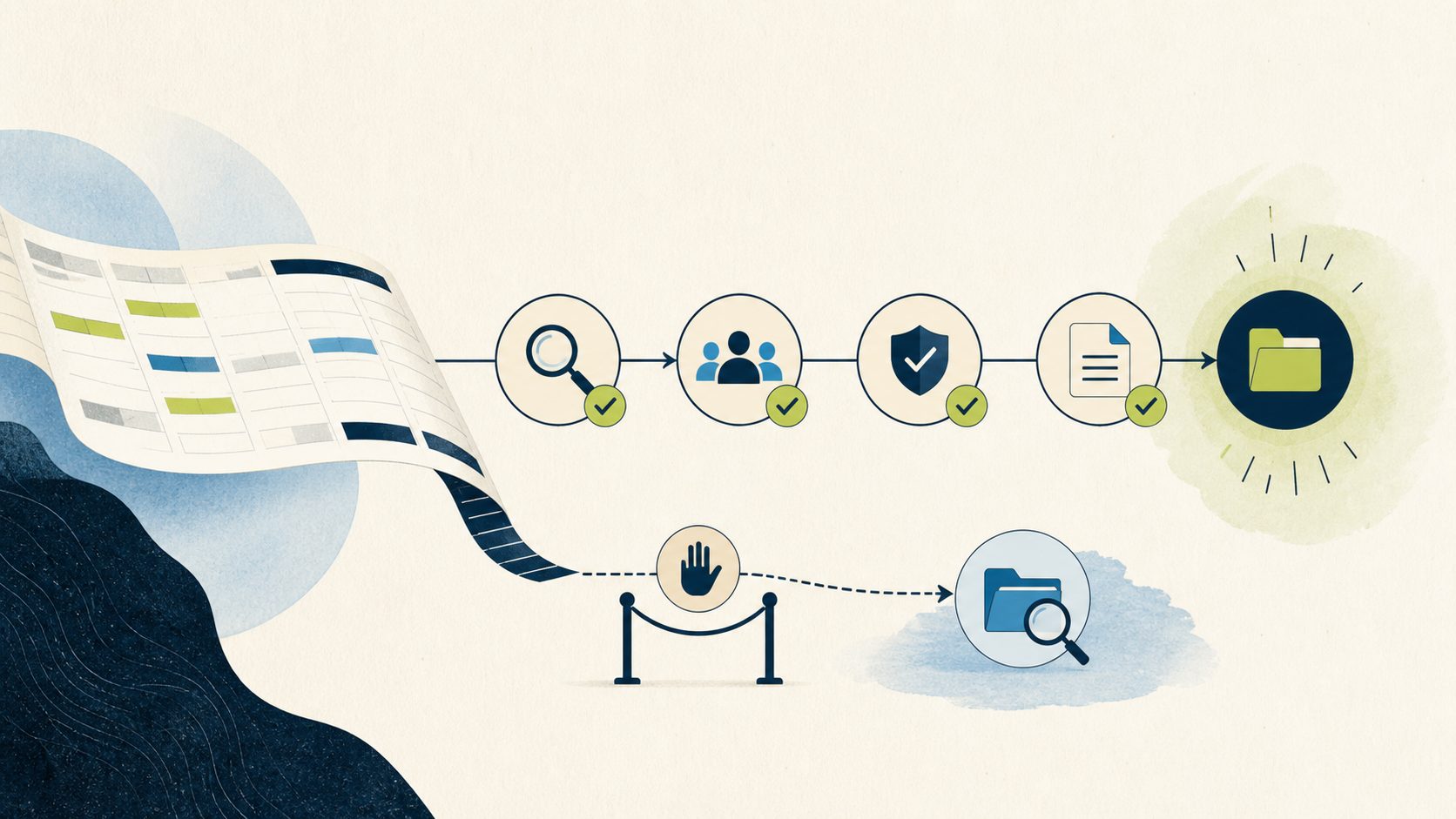
Late time entries are a workflow problem before they become a technology problem.
Late time entries are a workflow problem before they become a technology problem. When a consultant records billable hours several days after the work happened, three things move at once. The invoice for that period waits. The project actuals understate the effort that was actually delivered. And an approver spends part of the following week reopening records and chasing corrections. The accountable owner of that workflow is usually a delivery or PMO leader, and the baseline that tells you whether anything improved is easy to state: what share of time entries land after their policy cutoff today, and how long after period close does in-scope time finish being submitted and approved.
This page frames late time entry prevention Dynamics 365 business value for leaders who have to make a funding decision, not write code. You have three honest options in front of you. Fund a server-side control inside your Dynamics 365 environment. Keep a lighter process built on written policy and reminders. Or route the problem to a different system entirely when time capture really belongs somewhere else. The goal here is to give you the value levers, the governance you will own, the operating model, the adoption work, the measures, and a scorecard that turns all of it into a repeatable decision.
For Minnesota and Twin Cities professional-services firms in the 40 to 249 employee range, this decision tends to surface around the billing cycle. Delivery is hybrid, teams move between client sites and home offices, and the person who signs invoices is often the same person who feels the pain when a week of time shows up late. That local reality shapes both the value case and the adoption plan, and it runs through this framework.
Betters Agency provides Microsoft consulting services, including Power Platform and Dynamics 365 Project Operations engagements. The review described at the end of this page is a paid service. We are stating that plainly so you can weigh the recommendation with the commercial interest in view.
What a late time entry actually costs your operation
Start with the workflow, not the feature. In Dynamics 365 Project Operations, a time entry is a date-and-duration record that a worker submits, an approver reviews, and the system then converts into downstream financial data. When entries arrive late, the delay ripples outward in ways a leader can name without any invented numbers.
Billing readiness slips because you cannot confidently invoice a period until the time for that period is complete and approved. Project actuals understate delivered effort at exactly the moments you look at them for a status review or a change order conversation. Forecasts are built on incomplete inputs, so the picture a project manager presents on Monday can shift materially by Thursday. And approvers carry avoidable effort, because chasing missing entries and reopening approved records is work that produces no client value.
None of this requires a promise of savings to justify attention. The cost is operational drag, and drag is measurable. Later in this page you will define baselines for each category so the decision rests on your own numbers rather than a vendor claim.
Framing late time entry prevention Dynamics 365 business value
Here is the frame we recommend for late time entry prevention Dynamics 365 business value: treat it as a cycle-time and data-quality problem that touches four operating categories, and hold each category as something you will measure, not something a tool will guarantee. The four categories are billing readiness, project actuals accuracy, forecast input completeness, and approver effort including corrections. This is Betters Agency guidance, and it exists to keep the conversation on outcomes you can observe rather than a feature checklist.
A control that prevents or flags a late entry is only valuable if it moves one of those categories in a direction your baseline can detect. That is the discipline. If your firm cannot yet measure lateness, you are not ready to fund a build, and the first useful work is defining the policy and the baseline. That sequencing protects your budget more than any technical design choice.
Where Dynamics 365 Project Operations fits the workflow
A short tour of the product behavior helps ground the decision, with technology kept subordinate to the workflow. In Project Operations, time entries live in a weekly grid, and the weekly time entry grid supports custom fields and business rules. That matters because it tells you the surface is extensible, but a form customization is guidance to a user, not enforcement across every path that can write a record.
The entry lifecycle is a real workflow. In the standard experience, users can create, edit, submit, recall, copy, and import time entries, and each of those actions is a moment where a late record can enter your data. One detail worth carrying into the decision: import from Exchange appointments was disabled by a Microsoft security-policy change that took effect on May 1st, 2025, so if an old process depended on it, that path has already changed.
Downstream, submission and approval are where time becomes money. When an entry is approved, approval creates the actuals that feed cost and billing processes. That is the direct line from a worker recording an hour to an invoice you can send. It also means the integrity of your billing and actuals depends on who can approve and how. Approval rights depend on project team membership and the Project Approver flag, along with table access, and a Project Approver Admin can bypass normal validation. Any control you design has to account for those privileged paths, and for service and system contexts that may not behave like an ordinary user.
The strongest place to enforce a late-entry policy is server-side, on the create and update path itself. In the Microsoft platform, a synchronous Dataverse plug-in can cancel a data operation before it commits and return a clear message, and Microsoft advises considering declarative logic first and reaching for a plug-in when declarative options do not meet the requirement. That is the architectural reason a form rule alone leaves gaps: integrations, APIs, mobile, and automation can write records without ever touching the form.
Finally, this whole capability travels through application lifecycle management. Power Platform solutions are the application lifecycle mechanism that carry your customization from development into production, and Managed Environments and environment groups add centrally applied governance when your organization needs it. Premium use rights and specific admin roles can apply to those governance features, so treat them as a budget line rather than a free add-on.
The value levers, defined as measurement categories
Each lever below is framed as something you measure. None is a promised result.
Billing readiness
Billing readiness is the elapsed time between a period close and the moment all in-scope time for that period is both submitted and approved. Late entries stretch that interval, which is why finance leaders feel this one first. A control that reduces late entries should shorten the interval, and your baseline interval is the evidence. Define the denominator plainly: which projects, which clients, and which billing cycle you are measuring against.
Project actuals accuracy
Project actuals accuracy is about whether the hours visible at decision time reflect the hours actually delivered. Because approval creates the actuals, unapproved late time is invisible to a status review even when the work is done. The measure here is the gap between hours known at a given checkpoint and hours ultimately recorded for that same period. Name it as a completeness gap, because that is what it is.
Forecast input completeness
Forecast input completeness is the share of a period’s eventually recorded hours that were already captured at the moment a forecast was produced. This is deliberately not called forecast variance. Forecast variance would compare a stated forecast against a corresponding actual outcome, which is a separate measure you can also keep. Input completeness answers a narrower and more useful question for this decision: how much of the real signal was missing when the forecast ran. Late time drives that gap, and closing it is a legitimate value lever to measure.
Approver effort and corrections
Approver effort is the volume of approval actions, recalls, reopened records, and post-approval corrections your approvers handle per period. Corrections deserve their own count because a correction to an existing record is operationally different from a first-time entry, and a good policy treats them differently. Measure both the raw approval workload and the correction volume so you can see whether a control reduces rework or simply moves it.
Fit and non-fit
A control like this fits when several conditions hold together. Project Operations is your system of record for time. Multiple write channels exist, so a form-only rule would leave gaps. Billing and actuals genuinely depend on timely entries. And your leadership can agree on a written policy for what counts as late. When those are true, a server-side control has a real job to do.
The control is a poor fit in a few clear situations, and naming them protects your budget. Very low entry volume, where a written policy plus reminders already keeps time current, rarely justifies a build. When another professional-services automation platform is your true system of record for time, the rule belongs there instead. And when your larger problem is cross-platform workforce scheduling rather than project time capture, an external time platform may serve the whole need better than a targeted Dynamics 365 control. If you recognize your firm in one of these, the responsible move is to decline the automation and fix the process more simply.
Risk and governance you will own
Policy before technology
The most common way these projects go sideways is building enforcement before agreeing on the rule. Define the policy first, in writing, and make it testable. Decide which entry dates count as late. Decide which workers and projects are in scope. Decide how weekends and holidays affect the cutoff. Decide who may override, and whether a correction to an existing record is governed differently from a brand-new entry. Decide what evidence you retain when an override happens. Store those policy inputs in governed configuration where you can, so a rule change is an administrative act rather than a code change.
Exception governance
Exceptions are where good controls earn trust or lose it. A control that blocks legitimate corrections will be routed around, and then you have enforcement in name only. Betters Agency guidance is to design least-privilege exception handling: name who may override, require a reason, require approval, give the override an expiration, and record it in an audit trail. Treat privileged paths with special care, because approval rights include a Project Approver Admin who can bypass normal validation, and service and system contexts may not behave like ordinary users. Your exception design has to see those paths, or it will report a clean picture that is not true.
Change management and rollback
This capability moves through application lifecycle management, so govern it like any production change. Develop in an unmanaged solution, promote a managed solution downstream, and move through the environment controls your organization uses for other production changes. Keep a rollback that disables the registration or a policy flag without deleting data, so a false-positive problem in production is a switch you flip rather than an emergency. Managed Environments and environment groups can centralize some of this governance when you need it, with premium rights and admin roles budgeted accordingly.
The operating model: who owns what
A late-entry control fails quietly when ownership is fuzzy, so name each role distinctly and give it a job.
The executive sponsor funds the work and owns the business outcome. This is usually a COO, CFO, or delivery executive who cares that billing readiness improves and is willing to hold the organization to a policy.
The policy owner defines and maintains the late-entry policy: the cutoff logic, scope, holiday handling, override authority, and the correction-versus-new-entry distinction. In many firms this sits with a controller or a PMO leader.
The process owner owns the time and approval workflow itself, including how submissions and approvals flow and how exceptions are routed day to day.
The platform owner owns the Dynamics 365 and Power Platform implementation: the solution, the application lifecycle, the environments, and where automation is involved, the connections and connection references and their documented portability limits. This role keeps the technical build governed and portable across environments.
The data owner owns the measures and telemetry: the baselines, the definitions, and the ongoing reporting that shows whether the control is helping.
The adoption lead owns change management: manager enablement, worker communication, training, and the feedback loop that surfaces friction early. This is a separate accountability from the platform build, and folding it into the technical role is a reliable way to see a good control ignored.
The support owner owns the control after go-live: monitoring for false positives, handling exceptions, and executing rollback if needed.
One firm can assign several of these to one person, but each responsibility needs a name against it. Silent merging is how the correction backlog reappears three months later.
Adoption plan
Adoption is a leadership project, not a training email. Managers set the tone, so enable them first: they need to understand the policy, defend it, and model timely entry themselves. Communicate the cutoff and the reason for it before any enforcement goes live, so the first time a worker meets the control it is expected rather than a surprise. Provide short, role-specific guidance for entering, submitting, and correcting time under the new policy. Build a feedback channel so the adoption lead hears about false positives and awkward edge cases quickly, and route those to the policy owner and support owner rather than letting frustration accumulate. Adoption succeeds when the policy feels fair and the exception path feels reachable.
Measurement framework and baselines
Before any build, capture baselines for the four categories. Time entry lateness rate is the share of entries recorded after their policy cutoff, with the denominator being all in-scope entries in the period. Billing readiness lag is the interval from period close to complete, approved time. Actuals completeness gap is the difference between hours known at a checkpoint and hours ultimately recorded for that period. Approver effort is the count of approval actions, recalls, reopened records, and corrections per approver per period. State the comparison boundary for each measure and use the data you already have. Do not invent a baseline or a target you cannot support. The value case is the movement in these numbers over your own history, and a control that does not move them is not delivering value regardless of how elegant the implementation is.
The decision scorecard
This scorecard is built to be repeatable, so the same inputs produce the same decision. It uses mandatory gates, and the ratings map to explicit next actions rather than an arbitrary financial threshold.
The mandatory gates are:
- Gate 1, testable policy. A written late-entry policy exists and is testable: cutoff logic, scope, holiday handling, override authority, correction handling, and retained evidence are all defined.
- Gate 2, write-channel inventory. Every channel that can write a time entry is inventoried: forms, API, integration, import, mobile, and automation.
- Gate 3, exception governance. Override authority, reason capture, approval, expiration, and audit are defined, and privileged and system paths are accounted for.
- Gate 4, baselines captured. The four baseline measures above are captured with stated comparison boundaries.
- Gate 5, target-environment feasibility. Discovery in your actual Project Operations deployment confirms the required tables, messages, permissions, licensing, time-zone and calendar logic, and bypass behavior are feasible.
The decision rule is deliberately simple. If all five gates pass and none of the non-fit conditions apply, proceed to a bounded pilot. If any mandatory gate fails, repair that gate before proceeding and do not fund the build yet, because a build on top of an undefined policy or an unknown channel inventory inherits those gaps. If a non-fit condition applies, such as very low volume, a different system of record, or a cross-platform scheduling need, decline the automation and choose the lighter process fix or the more appropriate platform. Ratings on secondary factors such as volume and billing impact can inform how you prioritize among candidate projects, but they never override a failed mandatory gate.
A bounded pilot
When the gates pass, prove the control on a limited scope before you generalize it. Choose one team or one project. Set a bounded window that your team agrees on, such as a single billing cycle, with explicit entry and exit criteria written down in advance. Watch false positives closely, because the pilot’s real job is to find the legitimate corrections and edge cases your policy did not anticipate. Keep the rollback ready throughout, so a problem is a flipped flag rather than a fire drill. Exit the pilot with a decision that is grounded in the same four measures you baselined, and expand only what the pilot showed actually works.
Where AI assistants fit, and where they do not
It is fair to ask whether newer assistants change this decision. Current Microsoft preview capabilities can help with data entry: preview assistants can draft time entries while preserving user review before submission. That can make timely entry easier, which is genuinely useful for adoption. It is a different thing from enforcement, though. A draft still needs a person to review and submit it, and it does not apply a late-entry policy across every write channel. Preview availability, version, geography, and supplemental terms also apply. Treat these assistants as an aid to capture, and keep the policy control as its own decision.
Next step
If this framework maps to a real problem in your firm, the productive first move is usually the gate work: write the policy, inventory the channels, and capture the baselines. That effort is valuable even if you later decide a lighter process is the right answer, because it turns a vague frustration into a decision you can defend. This framework reflects how Betters Agency approaches Microsoft-centered delivery problems for Minnesota professional-services firms, and again, our consulting is a paid service. When you are ready to work through the gates with a Project Operations deployment in view, Book a Workflow Opportunity Review with our team. A companion technical guide and a Microsoft-platform opinion piece are planned as siblings to this page for readers who want the implementation detail and the platform tradeoffs; they will be linked here when published.
Frequently asked questions
Does Dynamics 365 Project Operations block late time entries out of the box?
Not as a configurable late-entry lock. The weekly grid supports custom fields and business rules, and users can create, edit, submit, recall, copy, and import entries through several paths. Enforcing a late-entry policy across all of those paths is custom work, most reliably placed server-side on the create and update path, and it must be validated in your specific deployment.
Why is a form-only rule considered insufficient?
A form rule guides a person filling in the grid, but integrations, APIs, mobile experiences, and automation can write records without touching that form. A synchronous server-side check on the data operation itself is the point where a policy can apply regardless of channel. That is an architectural reason, and your channel inventory in Gate 2 is what proves how many paths you actually have.
How do we justify the investment without promising savings?
Justify it against your own baselines. Capture the lateness rate, billing readiness lag, actuals completeness gap, and approver effort before you build, then measure movement after a bounded pilot. If the numbers do not move, the control is not delivering value for your firm, and that is a legitimate outcome to learn cheaply in a pilot rather than expensively across the whole organization.
What if our firm has low time-entry volume?
Then a written policy plus reminders may already be enough, and a custom control is likely a poor fit. Very low volume is one of the named non-fit conditions in the scorecard. Declining the automation and keeping a lighter process is a sound decision, not a failure.
Who should own this internally?
Name distinct owners: an executive sponsor, a policy owner, a process owner, a platform owner, a data owner, an adoption lead, and a support owner. One person can hold several roles in a smaller firm, but each responsibility needs a name, because merged ownership is how correction backlogs quietly return.
How do preview AI assistants change the decision?
They can make timely entry easier by drafting entries for a person to review and submit, which supports adoption. They do not enforce a late-entry policy across every channel, and preview terms and availability apply. Keep the assistant question separate from the enforcement question.
Contact Betters Agency about your next step