
Blog
AI-Powered CRM Value Framework for Leaders
nbetters · · 16 min read
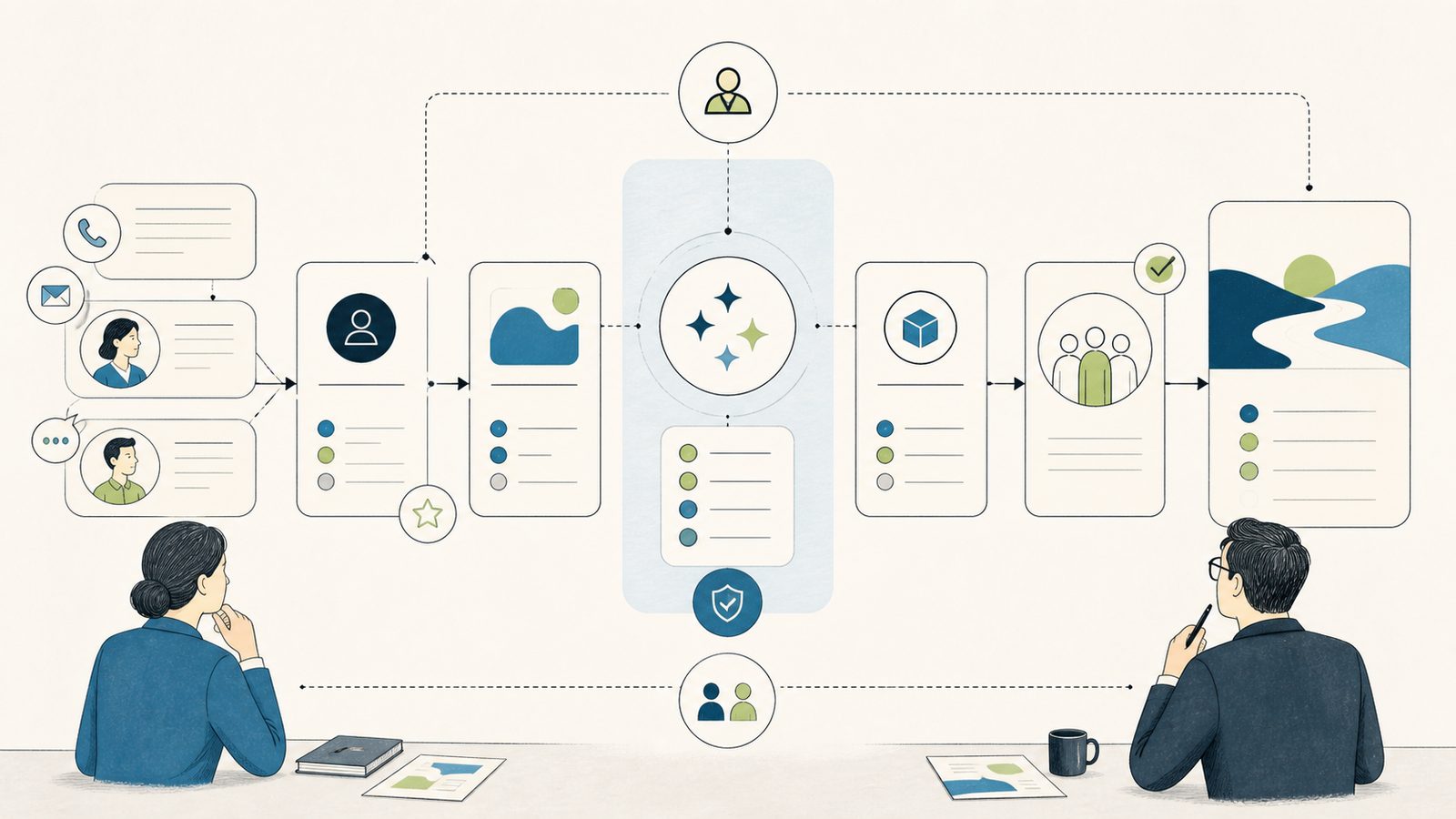
AI Powered CRM Business Value: A Leadership Decision Framework An AI assistant can help your sellers prepare faster and hand work off cleaner.
AI Powered CRM Business Value: A Leadership Decision Framework
An AI assistant can help your sellers prepare faster and hand work off cleaner. It can also add governance work, licensing questions, and review overhead that lands on people who are already busy. This framework helps you decide, fund, and measure one bounded workflow before you commit to a platform program.
To weigh ai powered crm business value for a Twin Cities professional services firm, start with one workflow, one owner, and a baseline, not a tenant-wide rollout. The question is not whether the technology is impressive. It is whether a specific, bounded use of it produces value you can observe, on data you control, with an owner accountable for the result.
This is a leadership document, not an implementation manual. It will not tell you which settings to change. It will help you judge whether an AI-assisted workflow deserves funding, who has to own it, what can go wrong, and how you will know afterward whether the money bought anything. If you want the configuration sequence, that belongs in the AI powered CRM technical guide. If you are weighing whether Microsoft is even the right platform, that is a separate question covered in the AI powered CRM platform comparison. This page is about the funding and governance decision itself.
Start with one workflow, not a platform program
The recurring problem in project-centric firms is not a missing feature. It is context that gets lost between selling and delivering. Opportunity records go stale, ownership for correcting them is unclear, and the sales-to-delivery handoff drops details that surface later as rework or margin leakage. When a delivery lead inherits an opportunity that was scoped loosely, the cost shows up weeks later as unbilled hours, a surprised client, or a project that was priced for work it never fully accounted for.
An AI powered CRM is worth funding only when it improves a named workflow that has an owner and a measurable consequence. Good candidates are opportunity recap, meeting preparation, and the sales-to-delivery handoff. After an administrator configures the feature, Copilot in Dynamics 365 Sales can summarize lead and opportunity records, surface recent changes, and help sellers prepare for meetings. That capability is a starting point for a bounded workflow, not a reason to enable everything at once.
The discipline that protects your investment is scope. A tenant-wide rollout spreads cost, review effort, and adoption risk across every seller and every record at the same time, which makes it hard to tell whether value appeared or evaporated. A single bounded workflow does the opposite. It concentrates the change on one job, one set of records, and a handful of accountable people, so you can watch the result and decide with evidence rather than enthusiasm. Fund the smallest responsible version first, prove it, then decide whether to widen.
What business value means for this decision
Business value here is not a vendor headline or a productivity percentage borrowed from a case study. It is a specific, observable change in how one workflow runs, measured against how that same workflow runs today. Treat every value claim as a hypothesis you intend to test, not a benefit you have already banked. That framing is deliberate. It keeps you from funding an assistant on numbers no one at your firm has verified, and it gives your measurement owner something concrete to confirm or reject later.
There is also a cost side that rarely makes the slide deck. AI assistance adds review work, because outputs have to be checked before anyone acts on them. It adds governance work, because access, data movement, and auditing all become decisions. It can add licensing cost. A responsible value case counts both sides. The right question is not whether the assistant can do something impressive in a demo. It is whether the net of value gained and effort added, on your data and your workflow, comes out ahead for a job that actually matters to your firm. Measured that way, the ai powered crm business value you can defend is the surplus that remains after both sides are counted.
The value levers, and why each is a hypothesis
There are six levers where a bounded AI-assisted workflow can create value for a service firm. Treat every one as a hypothesis until a documented baseline and operational evidence exist. Do not fund this on a vendor’s outcome numbers or a promised return.
- Preparation effort. Less time assembling opportunity context before a decision or a handoff. The hypothesis is that a seller who would otherwise reconstruct an account history by hand can start from a drafted summary and spend the saved minutes on judgment instead of retrieval. You confirm it by measuring preparation time before and after, not by assuming it.
- Record quality. More complete and current opportunity records that people trust. The hypothesis is that surfacing recent changes and gaps nudges sellers to keep records honest. The failure mode is the opposite: if people treat the assistant as the source of truth, the underlying fields can quietly rot while everyone reads the summary.
- Handoff quality. Fewer sales-to-delivery exceptions caused by missing context. This is often the most valuable lever for a project firm, because a dropped detail at the handoff is expensive to fix downstream. The hypothesis is that a structured recap reduces the number of times delivery has to go back and ask what was actually promised.
- Decision context. Faster access to what changed on an opportunity and why. The hypothesis is that a leader reviewing a pipeline can see movement without spreadsheet archaeology. The value is only real if the underlying data is complete enough for the change history to mean something.
- Adoption. Evidence that people actually use and trust the bounded workflow. Adoption is a lever, not an afterthought. A capability nobody trusts creates zero value and still costs money to run.
- Support effort. Fewer surfaces for a Microsoft-centered firm to administer, offset against new review and correction work. Keeping AI near your existing identity, data, and workflow can reduce integration sprawl, but the assistant introduces its own support load, so this lever can move in either direction.
None of these is a saving until you measure it against how the work runs today. A firm that funds AI to hide missing ownership, stale fields, or duplicate data will pay for the assistant and still own the underlying mess. The levers describe where value could appear. Your baseline and pilot decide whether it did.
A Twin Cities service-firm example
Consider, as an illustration, a Minneapolis IT consulting firm with roughly 60 people, a mix of billable consultants, and many concurrent projects. Their bottleneck is the sales-to-delivery handoff. A solutions lead closes an engagement, and the delivery manager picks it up from an opportunity record that captures the commercial terms but not the operating detail: which stakeholder cares about what, which assumptions were priced in, which risks were flagged verbally and never written down. Delivery starts, discovers a gap, and the firm eats the difference.
A leadership team could try to fix this by funding an AI-assisted opportunity recap. The bounded workflow would be narrow: at the point of handoff, the assistant drafts a recap of the opportunity and its recent changes, the solutions lead reviews and corrects it, and the delivery manager receives a consistent, checked summary. The value hypothesis is fewer handoff exceptions and less re-litigation of scope in the first weeks of delivery. The baseline is the current count of handoff exceptions and the preparation time delivery spends reconstructing context today.
Notice what the example does not assume. It does not assume the firm already uses this tool, and it does not promise a number. It names a workflow, an owner on each side of the handoff, a value hypothesis, and a baseline to test it against. That is what a fundable proposal looks like. The same shape applies whether your bottleneck is the handoff, meeting preparation, or opportunity recap, and whether your firm is in Minneapolis, Saint Paul, or elsewhere in Minnesota.
Risk and governance boundaries you own
AI does not remove human judgment, review, or accountability. The assistant follows existing data permissions and can return answers that are not always factual and should be reviewed. That makes source checking and a correction path mandatory, not optional. Your existing role and data-access model is a prerequisite you inspect, not a control you can skip because AI is involved. If a seller should not see an account today, the assistant does not change that, and if your access model is loose today, the assistant will operate inside that looseness.
Three boundaries deserve executive attention before any pilot:
- Regional processing. Depending on the environment and feature, some capabilities may require consent to move prompts and outputs across regions, granted by an administrator. That is a privacy and data-residency decision, not a toggle a seller flips. Decide it deliberately, with your security and privacy reviewer, and record the decision.
- Auditing and retention. The recent-changes experience relies on audit history, and Dataverse auditing consumes log storage and requires a retention decision. Deleting logs is not a rollback plan. Turning on auditing is a cost and a policy choice, and it should be made against your retention and legal obligations, not for the convenience of a feature.
- Feature currency. Microsoft deprecates Dynamics 365 Sales AI and reporting surfaces over time, so a current feature and deprecation review is part of any go decision. Do not build a business case on a path that is being retired. A capability that anchors your value case today can change, so a periodic currency check belongs in the operating plan, not just the launch.
Governance is not a tax you pay to unlock the feature. It is part of the value equation. Every one of these boundaries carries ongoing effort, and that effort is a real line in the cost of running an AI-assisted workflow.
The operating model: eight named owners
A workflow without named owners is not governed, it is hoped for. Before you fund a pilot, assign these eight roles to real people. They can be held by fewer individuals, but each responsibility must be someone’s job, and no responsibility can be left implicit.
- Executive sponsor. Owns the decision to fund, pause, or stop, and holds the workflow to its stated outcome. The sponsor is the person who can say no, and who answers for the spend if the value hypothesis does not hold.
- Process owner. Owns the bounded workflow itself and its definition of done. This is the person who can say precisely what the workflow is, where it starts and ends, and what a good result looks like.
- Data owner. Owns the fields, record quality, and the standard for what good data looks like. Because the assistant reads and summarizes records, the data owner effectively owns the quality of the inputs the value case depends on.
- Platform administrator. Owns tenant, environment, access, and configuration in the Microsoft platform. This role turns policy decisions into enforced settings and is accountable for keeping configuration aligned with what leadership approved.
- Security and privacy reviewer. Owns access boundaries, regional data-movement consent, and the review of what the assistant can reach. This person inspects the access model rather than assuming it, and signs off on the region and data-residency decisions.
- Adoption lead. Owns enablement, training, and the honest read on whether people use and trust the workflow. Crucially, this is a distinct role, not a duty folded into the process owner, because someone has to be accountable for real usage rather than for the feature being available.
- Support owner. Owns issue intake, correction handling, and the aging of open problems. When a summary is wrong or a seller reports a gap, the support owner is where that goes, and the aging of those issues is a signal leadership should watch.
- Measurement owner. Owns the baseline, the operational evidence, and the read on whether the hypotheses held. This role protects the decision from wishful thinking by holding the before-and-after numbers.
For a Minnesota firm running 15 or more concurrent projects, the process owner and data owner usually sit closest to the sales-to-delivery seam, where lost context is most expensive. Name them first. In a smaller firm, an operations leader might hold sponsor and support duties while a senior consultant holds process and adoption, but the merge should be a conscious choice with each responsibility still explicitly claimed, not an accident that leaves a gap no one notices until something breaks.
Adoption is a leadership decision, not a rollout email
Adoption fails when leaders treat it as a training task instead of a workflow change. The adoption lead needs a small group of representative users, a clear definition of the bounded workflow, and permission to report that trust is low. If sellers do not trust a summary, they will re-check it by hand, and you will have added a step rather than removed one.
Plan adoption in deliberate phases rather than a single launch. First, a small representative group works the bounded workflow with named reviewers and reports candidly on usefulness and errors. Next, once that group can show the workflow holds up, the process owner and adoption lead decide whether the boundaries and instructions need revision before anyone else is added. Only then does access widen, and only to the extent the evidence supports. Each phase has an owner and an honest checkpoint, and the sequence is driven by evidence rather than a calendar. Fund the adoption work as part of the pilot, not as an afterthought, because a capability people quietly abandon is a cost with no offsetting value.
Measurement: baseline before you enable
Measure the current workflow before you turn anything on. Without a baseline, every later claim of improvement is a story. You cannot show that handoff exceptions fell if you never counted them first, and you cannot defend the spend to a CFO with an anecdote.
Useful measures include preparation time, record completeness, stale-opportunity rate, handoff exception count, output-correction rate, active-use rate, user-reported trust, and support-issue aging. Capture each of these for the current workflow, in whatever rough form you can, before enablement. The output-correction rate deserves particular attention, because it tells you how much review the assistant actually demands: a workflow whose outputs need heavy correction is adding work even when it looks productive. User-reported trust and active-use rate together tell you whether adoption is real or merely licensed.
Do not invent a target percentage or a financial result to justify the spend. Let the baseline and the pilot evidence tell you whether the value levers moved. If the numbers move in the right direction, you have a defensible case to widen. If they do not, you have saved yourself a broad rollout of something that did not work, which is itself a valuable outcome of running the pilot honestly.
Licensing and total operating effort
Licensing is real cost and it changes. Microsoft distinguishes basic Sales agent features from premium capabilities, with premium features tied to a Microsoft 365 Copilot license. Verify your exact user and feature mix against current product terms before you budget, and do not assume an entitlement you have not confirmed.
Beyond license fees, count the operating effort: administration, security review, auditing storage and retention, adoption support, and ongoing output correction. Each of these is recurring, not one-time. The security reviewer’s time, the storage the audit history consumes, the hours the support owner spends handling corrections, and the enablement the adoption lead runs are all part of what you are funding. That total operating effort, not the license line alone, is what you are funding. A value case that counts only the subscription and ignores the standing effort will understate the cost and overstate the return.
The decision scorecard
Run each candidate workflow through eight gates. Rate each gate green (ready), yellow (conditional, with a named fix), or red (not ready). These gates are the go/no-go, and the ratings map to explicit next actions rather than a subjective feeling.
- Workflow owner. A named process owner and executive sponsor exist.
- Data readiness. The fields the workflow depends on are complete, current, and owned.
- Access, privacy, and region. Access boundaries and any regional data-movement decision are reviewed and owned.
- Licensing and operating effort. The user and feature mix is verified and the total operating effort is understood.
- Human review. A correction path and source-checking step are defined and staffed.
- Support and rollback. Issue intake exists, and rollback means restricting or disabling the affected access or feature and returning to the prior manual control.
- Adoption. An adoption lead and representative pilot users are named.
- Baseline measurement. A documented baseline exists before enablement.
The repeatable decision rule:
- If the workflow owner gate or the access, privacy, and region gate is red, stop. Do not automate a workflow that lacks an accountable owner or a safe data and access boundary. These two gates are the ones that halt the decision outright, because no amount of downstream repair fixes an unowned workflow or an unsafe access model.
- If any other mandatory gate is red, repair before proceeding. Do not pilot on a known gap. A red data-readiness gate, for instance, is a signal to fix the data first, because the assistant will summarize whatever is there.
- If every gate is at least conditional and the use case is bounded, run a controlled pilot with representative records and named reviewers. Conditional gates are allowed into a pilot precisely because a pilot is where you test whether the named fixes hold.
- Proceed to broader rollout only after the pilot’s defined evidence passes. A pilot that does not move the baseline is a signal to narrow or stop, not to expand. Widening a workflow that failed its own pilot only multiplies the cost.
The scorecard is intentionally free of financial thresholds and invented ROI. It does not ask you to hit a savings target to proceed. It asks whether the workflow is owned, safe, measurable, and adopted, and it maps each answer to a clear next action.
When AI is the wrong answer
If the real bottleneck is missing ownership, stale fields, or a broken handoff, a non-AI data and workflow repair is the better investment. AI should not be asked to conceal an undisciplined system of record. An assistant that summarizes bad data produces confident, well-formatted bad summaries, and that can be worse than no summary at all, because it looks trustworthy. When the scorecard’s data-readiness or workflow-owner gate keeps coming up red, the honest reading is that the firm has a process and ownership problem the assistant will not solve. Fix the workflow first. If a lighter process change resolves the bottleneck, that is the responsible spend, and it may make a later AI decision cleaner. Whether Microsoft is the right platform for this work is, again, a separate question, covered in the platform comparison linked above.
Executive questions, answered
Should we start with a broad rollout to prove commitment? No. A broad rollout spreads cost and review effort across everyone at once and makes the result impossible to read. Fund one bounded workflow with named owners, prove it against a baseline, then decide whether to widen.
How do we know if we are ready? Run the eight-gate scorecard. If the workflow-owner or access, privacy, and region gate is red, you are not ready to automate. If other gates are red, repair them first. If all gates are at least conditional and the use case is bounded, you are ready for a controlled pilot.
What is the single most common way this goes wrong? Funding the assistant to paper over data and ownership problems. If your records are stale and unowned, the assistant will summarize the mess convincingly, and you will have paid for a better-looking version of the same problem.
Can AI remove the need for human review? No. Outputs should be reviewed before anyone acts on them, and a correction path has to be defined and staffed. Review is a permanent part of the operating cost, not a temporary launch precaution.
What does rollback actually mean? Restricting or disabling the affected access or feature and returning the workflow to its prior manual control. It does not mean deleting audit logs, and it does not promise that cross-region processing can be undone. Plan rollback as returning to the known-good manual process.
How will we measure value? Baseline the current workflow first, then compare. Watch preparation time, record completeness, stale-opportunity rate, handoff exception count, output-correction rate, active-use rate, user-reported trust, and support-issue aging. Let those numbers, not a vendor figure, tell you whether value appeared.
Your next step
Betters Agency provides Microsoft and workflow consulting, so treat this as an interested recommendation and hold it to the same scorecard. If you want a structured read on one candidate workflow, bring a single costly manual handoff and we will walk it through this framework with you.
Review a Workflow and we will help you baseline it, name its owners, and decide whether a bounded AI-assisted pilot is worth funding.