
Blog
Microsoft Copilot Implementation: A Practical Guide for Business Leaders
nbetters · · 12 min read
How to plan, pilot and scale a Microsoft Copilot implementation: readiness, data governance, agents, adoption and measurement, with the trade-offs to weigh.
A Microsoft Copilot implementation succeeds when the data, permissions and business processes underneath it are ready, and the license is the easy part. The sound sequence is to assess readiness, fix access and data problems, pilot with a small group on a few low-risk use cases, then expand in waves while you measure business outcomes. We are an independent Microsoft partner and a small firm, and this guide follows that sequence for leaders who want Copilot to improve how work gets done, in Microsoft 365, Dynamics 365 and Power Platform.
Key Takeaways
- Copilot is a family of products, not one switch. Pick the product that matches the workflow: Microsoft 365 Copilot for everyday documents and email, Dynamics 365 Copilot for sales and service, Copilot Studio for custom agents.
- Readiness comes first. Microsoft’s own guidance centers on data governance, oversharing, permissions and audit controls before any broad rollout.
- Pilot a small cohort on high-value, low-risk scenarios, then expand in phases while watching usage and feedback.
- Measure outcomes such as case-resolution time and sales productivity, not only how many licenses are assigned.
- Copilot is not always the right answer. Some firms are better served by Salesforce, HubSpot or HighLevel, and we say so below.
Table of Contents
- What a Copilot implementation actually covers
- Step 1: Define use cases and measure readiness
- Step 2: Fix data, permissions and governance first
- Step 3: Build the rollout group and choose a pilot
- Step 4: Extend Copilot to your own processes
- Step 5: Drive adoption and measure results
- Our perspective
- Working with us on a Copilot project
- When our recommendation is the wrong one
- Common mistakes to avoid
- FAQ
- Sources
What a Copilot implementation actually covers
“Copilot” is used for several different products, and mixing them up is the most common reason a project starts in the wrong place. Microsoft’s cloud overview separates them: Microsoft 365 Copilot works across Microsoft 365 apps, Dynamics 365 Copilot supports business teams such as sales and service, Copilot in Power Automate helps people build flows through conversation, and Copilot Studio supports custom solutions built on business data.
For a business leader, that translates into three practical questions:
- Where does the work happen today? If it happens in Outlook, Word, Excel and Teams, Microsoft 365 Copilot is the natural entry point. If it happens in a CRM or a project system, the Dynamics 365 side matters more.
- Where does the data live? Copilot can only be as accurate as the records it can reach. Dynamics 365 Copilot, for example, can summarize opportunities, leads, meetings and accounts, so the quality of those records sets the quality of the summaries.
- Is the need standard or specific to your process? Standard needs are met by built-in Copilot features. Process-specific needs, such as an intake agent that checks a claim against your own rules, call for Copilot Studio or custom development.
We have written product-level guides for the common cases, including Copilot in Outlook, Copilot for Excel data analysis and Copilot in Dynamics 365 Project Operations. This article covers the decisions that sit above any single product.
Step 1: Define use cases and measure readiness
Start with the business problem, not the feature list. A useful use case names a process, the people who run it, the system it touches and a number you can move. Examples include time spent preparing for client meetings, how long a service case stays open, or how much effort goes into weekly status reports.
Microsoft’s AI implementation guide recommends setting clear, measurable objectives and recording a baseline before implementation, with an example objective of cutting average customer-inquiry response time by 40 percent. That 40 percent is Microsoft’s illustration of how to phrase a goal, not a forecast for your business. Use your own baseline. Without one you cannot show later whether the project paid off.
The same guide proposes assessing readiness across five areas: data security, data availability, infrastructure, talent and integration opportunities. For IT leaders, Microsoft’s adoption guide also advises completing the Microsoft Copilot Optimization Assessment before deployment to evaluate data-governance maturity and data-security controls.
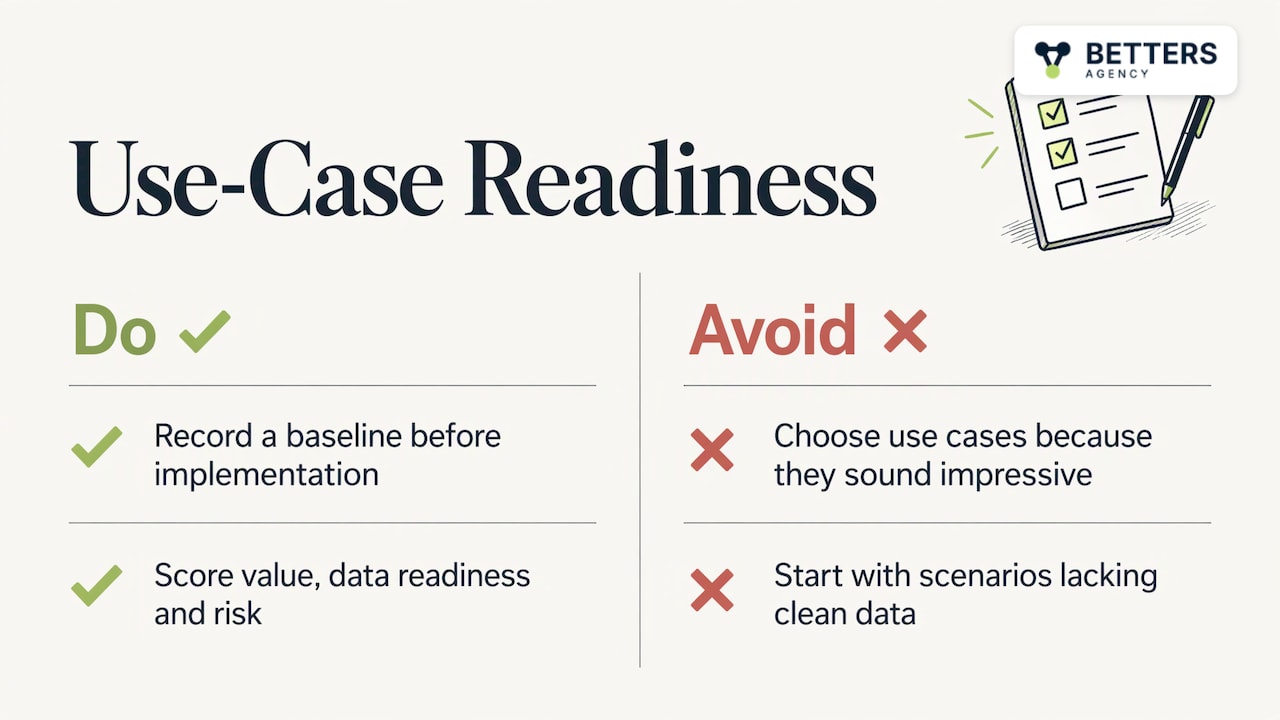
Where this step goes wrong: choosing use cases because they sound impressive. A scenario that needs clean data you do not have will produce poor answers and a poor first impression, and first impressions decide whether people keep using the tool.
A quick scoring approach helps. Rate each candidate use case from 1 to 5 on business value, data readiness and risk if the output is wrong. Start with the ones that score high on value and data readiness and low on risk. Leave the rest for a later wave.
Step 2: Fix data, permissions and governance first
Copilot respects the permissions a user already has. That is a strength, and it is also the main hazard: if an employee can technically open a file they should never have seen, Copilot can surface content from it in an answer. Years of loose sharing in SharePoint and Teams become visible quickly.
Microsoft’s adoption guidance for IT lists the readiness work: review audit and compliance readiness, verify that Microsoft Purview Audit is enabled, identify high-risk sites, correct access and permissions, and establish guardrails against oversharing. Microsoft’s secure-data-foundation guidance organizes the same work around three pillars: remediate oversharing, set up guardrails and meet regulations. It names Microsoft Purview for data-loss prevention, insider-risk mitigation and compliance, and SharePoint Advanced Management for sharing, access and governance.
In plain terms, that means:
- Find what is overshared. List the sites, libraries and teams open to “everyone” and decide who should really have access.
- Label sensitive content. Contracts, HR files, financial records and client data need protection that follows the file.
- Confirm auditing is on. You want a record of what Copilot touched.
- Clean the business records. Duplicate accounts, stale contacts and inconsistent fields in your CRM produce confident but wrong summaries.
This is where our governance and data integrity work fits. The architecture and data decisions get settled before anything is configured, because a Copilot feature switched on over disorganized data tends to expose the disorder instead of fixing it. For firms with a CRM at the center, our CRM data migration framework shows how we think about getting records into a trustworthy state.
Step 3: Build the rollout group and choose a pilot
Microsoft recommends assembling the right people before rollout: an executive sponsor, security and governance stakeholders and an adoption champion, then selecting an initial cohort and high-value, low-risk scenarios. The rollout sequence it lays out runs from assessing readiness and choosing the pilot cohort, through remediating data and permissions and verifying apps and network, to assigning licenses by group and configuring policies.
A workable pilot has these traits:
- Small and varied. Enough people to cover two or three roles, few enough to support closely.
- Motivated. Volunteers who will give honest feedback beat people assigned against their will.
- Tied to a baseline. Each pilot user group has a before-and-after metric from Step 1.
- Time-boxed. Decide in advance how long it runs and what result triggers expansion.
It also helps to see how a very large organization did it. Microsoft’s own deployment account says it moved in stages, beginning with early access and limited-use-case licenses before broad deployment to more than 300,000 employees and external staff. Your firm is far smaller, so the lesson is the pattern: validate with early users, extend to supporting functions, then scale while watching usage and feedback.
Step 4: Extend Copilot to your own processes
Once the built-in features are working, the larger gains usually come from fitting Copilot to the way your business actually runs. Microsoft describes Copilot Studio agents as combining generative AI, knowledge and actions, connecting to business systems through connectors, REST APIs and MCP servers, and deploying across channels such as Teams and enterprise applications.
There is a design choice to make early. Microsoft’s extensibility guide distinguishes declarative agents, which use Copilot’s own orchestrator and models with custom instructions, knowledge and actions, from custom-engine agents that bring their own orchestrator and models. The practical reading:
| Approach | Fits when | Typical effort |
|---|---|---|
| Built-in Copilot features | The task is common: summarizing, drafting, searching | Low: configuration and training |
| Declarative agent | You want Copilot to follow your instructions and draw on your knowledge sources | Moderate |
| Custom-engine agent | The process needs its own orchestration logic or specific models | Higher: design and development |
A good rule is to use the lightest approach that meets the requirement. A heavier agent is more to build, test and maintain.
This step is also where business process automation and Copilot meet. An agent that drafts a reply is useful. An agent that drafts the reply, updates the record in Dynamics 365, starts an approval in Power Automate and logs the result is a process improvement. Our work across Power Platform customization, custom development and integrations, and Copilot and AI solutions is aimed at that second kind. Where the project is in professional services, our Copilot agent guide for Dynamics 365 Project Operations walks through the build.
Step 5: Drive adoption and measure results
Licenses assigned is not adoption, and adoption is not value. Microsoft’s deployment playbook says to use employee champions and feedback, and to measure readiness, adoption and impact, connecting usage to productivity, operational outcomes and employee experience rather than license or activity counts alone. It gives case-resolution time and sales productivity as examples of operational measures.
Microsoft’s measurement playbook adds two points worth adopting. Measurement is iterative, not a one-time sequence of phases, and it should capture employee behaviors, attitudes and sentiment alongside technical deployment. On the enablement side, Microsoft’s adoption guide suggests welcoming licensed users with usage and training information and using onboarding to build familiarity and prompting skills.
A simple scorecard for the first quarter after launch:
- Readiness: share of high-risk sites remediated, share of users trained.
- Adoption: weekly active users by role, and which use cases they actually use.
- Impact: the baseline metric from Step 1, tracked monthly, such as case-resolution time, proposal turnaround or hours spent on reporting.
- Sentiment: a short monthly pulse survey to the pilot group.
Power BI dashboards make this scorecard visible to leadership in one place, so the review conversation is about outcomes and not anecdotes.
Our perspective
We are a small firm, and we work as an independent Microsoft partner. The person who scopes your Copilot project is the person who builds it, which keeps the decisions about data and architecture from getting lost between a sales conversation and delivery.
Our view is that most disappointing Copilot projects were decided before the first prompt was written. The tool was switched on over messy permissions, an unclear process and no baseline, and then the organization concluded the AI was the problem. We would rather spend the first part of an engagement on architecture, governance and data integrity, because that is what makes the later automation and agent work hold up.
We also think adoption deserves real budget. Across our work we have automated more than 100 production processes and onboarded more than 5,000 users, and the pattern is consistent: people use what fits their daily routine and what they were shown how to use. Training and champions are part of the build, not an afterthought.
Finally, we cover the whole stack: Dynamics 365, Power Platform, custom development, Copilot agents and robotic process automation across UiPath, Power Automate, Zapier, Make and n8n. That lets us recommend the lightest tool that solves the problem, which is often not the newest one.
Derek
Working with us on a Copilot project
Our services cover Dynamics 365 implementations, Power Platform customization, custom development and integrations, Copilot and AI solutions, business process automation, CRM strategy and architecture, governance and data integrity, adoption and enablement, and Power BI data intelligence. For a Copilot project, that usually means readiness and governance first, then the use cases that tie to a measurable result, then adoption support. Our independent Microsoft partner model means we work with the Microsoft stack you already own.
If your Copilot goals center on a CRM, our Dynamics 365 Sales CRM package starts from $1,495 one-off, and Dynamics 365 Project Operations starts from $2,995 one-off, both listed on our packages page. Larger or more specific work is scoped on our services page. If you want to talk through a Copilot plan, start from bettersagency.com.
When our recommendation is the wrong one
Any honest implementation plan names where it does not fit.
- Readiness first can feel slow. If leadership expects visible results within weeks, a governance-first sequence can look like delay. The trade-off is real: you accept a slower start for fewer surprises about data exposure and answer quality. If your content is already well governed, shorten Step 2 accordingly.
- Dynamics 365 is not always the right CRM. Salesforce, HubSpot or HighLevel are sometimes the better choice, for example when your sales motion already runs well in one of them, when your team is mostly outside the Microsoft ecosystem, or when a marketing-led small business wants a lighter tool with its own built-in automation. In those cases, forcing Copilot into a Microsoft CRM adds cost without adding fit. Our comparison of Dynamics 365 CRM and alternatives lays out how we weigh that.
- Not every process needs an agent. If the task is simple and stable, a standard Power Automate flow or a built-in Copilot feature is cheaper to maintain than a custom agent.
- Small user groups. For a handful of users, a full pilot structure with champions and scorecards can be more process than the project needs. Scale the plan to the size of the firm.
Common mistakes to avoid
- Skipping the baseline. If you cannot say how long a task took before, you cannot show it got shorter.
- Treating Copilot as an IT project only. The executive sponsor and a business owner for each use case decide whether it sticks.
- Rolling out to everyone at once. A staged rollout lets you fix permission and data issues on a small group first.
- Measuring only logins. Activity counts say little about whether work improved.
- Ignoring the CRM. Copilot summaries of accounts and opportunities reflect the data behind them, so records need an owner and a cleanup routine.
FAQ
How long does a Microsoft Copilot implementation take?
It depends on the state of your data and the number of use cases, so any fixed answer would be a guess. A small pilot on a few well-governed scenarios can start sooner than a rollout that first needs permissions remediation across many SharePoint sites. Plan in phases: readiness, pilot, then waves of expansion.
Do we need to clean up our data before turning Copilot on?
Yes, at least the parts Copilot can reach. Microsoft’s guidance centers on remediating oversharing, setting up guardrails and verifying that audit is enabled. In a CRM, duplicate or outdated records also weaken the summaries Copilot produces.
What is the difference between Microsoft 365 Copilot and Copilot Studio?
Microsoft 365 Copilot is the assistant built into apps such as Outlook, Word, Excel and Teams. Copilot Studio is where you build custom agents that combine knowledge and actions and connect to your business systems. Many firms start with the first and add the second for process-specific needs.
How do we know the implementation is working?
Compare against the baseline you recorded before launch. Track operational measures such as case-resolution time or sales productivity, along with adoption and employee sentiment, as Microsoft’s deployment playbook recommends.
Can Copilot work with our existing CRM?
It depends on the system. Dynamics 365 Copilot is built for Dynamics 365, and Microsoft says Copilot for Service can extend existing CRM and contact-center systems. If your CRM is Salesforce or HubSpot and it works well, keeping it may be the better call.
Sources
- Microsoft Copilot adoption and onboarding guide for IT
- AI Implementation Strategy Guide, Microsoft 365
- Adopt, extend and build Copilot experiences across the Microsoft Cloud
- Microsoft Copilot, Microsoft Adoption
- Secure and Governed Data Foundation for Microsoft Copilot
- Agents overview, Microsoft Copilot Studio
- Compare declarative and custom engine agents
- Inside Track: Deploying Microsoft 365 Copilot in five chapters
- Get started deploying Copilot and agents
- Microsoft 365 Copilot Implementation Measurement Playbook
Recommended
- Copilot in Excel Data Analysis Guide
- Microsoft Copilot in Outlook Implementation Guide
- Microsoft Copilot in Dynamics 365 Project Operations PSA
- Copilot PSA Software vs Alternatives
Articles are for informational and educational purposes only, Betters Agency LLC is not a licensed financial advisor or legal counselor and does not provide these services, readers are encouraged to check multiple sources for accuracy.